Insights → What changed is a check of your last 18 months of revenue, run every Monday. It looks for changes worth your attention: a churn spike, a plan that’s shrinking, growth coming from fewer, larger customers. It says how sure it is, and links to the customers or chart behind each one. Findings are on every plan.
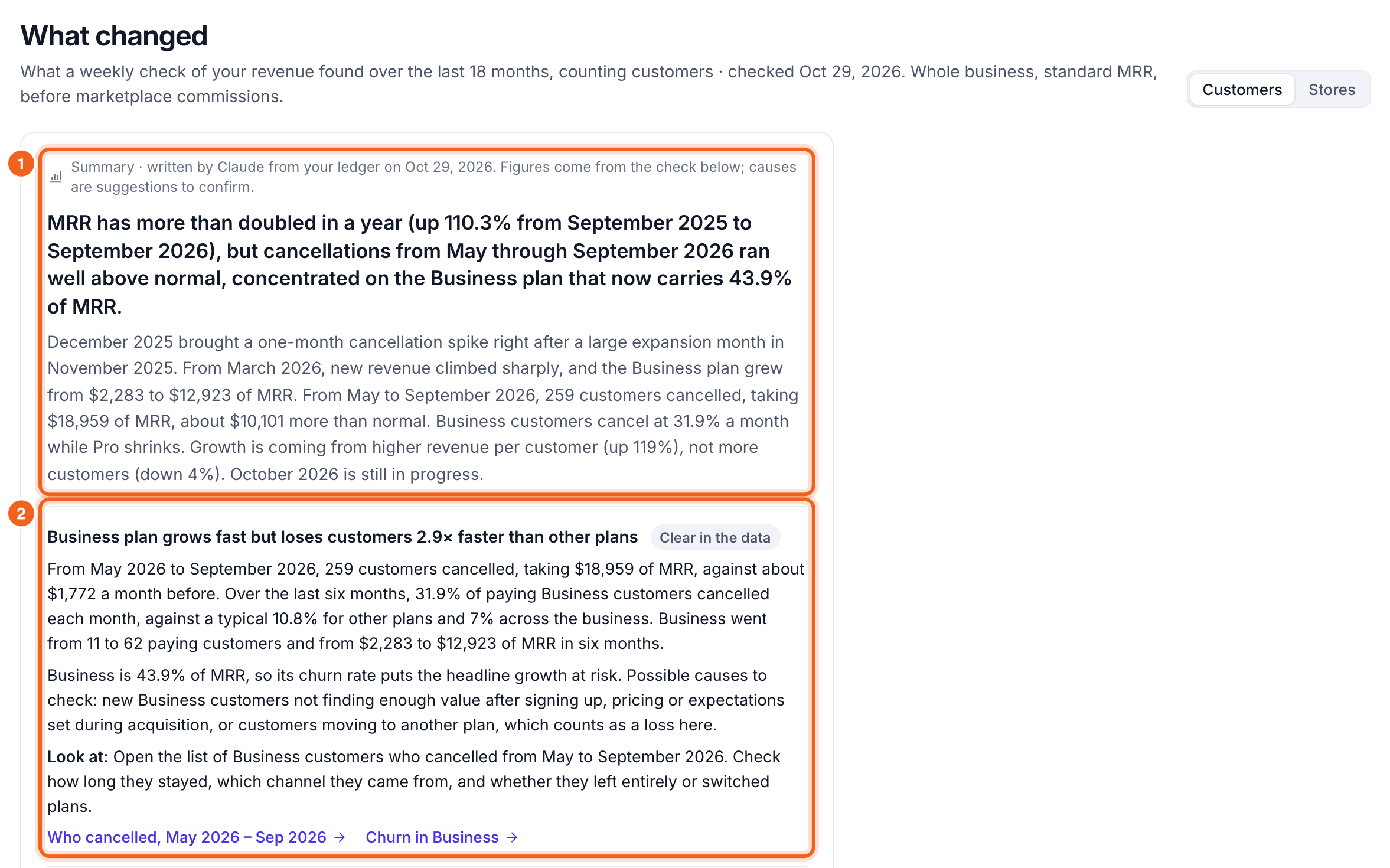
What changed, with Claude's summary and the first finding numbered 1 and 2

Findings

Each finding has:
  • What it found: the change, with amounts and dates. For example, “From May to September, 259 customers cancelled, taking $18,959 of MRR, against about $1,772 a month before.”
  • Confidence: Clear in the data, Likely or Worth checking.
  • What it might mean: possible causes to confirm. They’re suggestions, not conclusions.
  • Look at: what to check first, with a link that opens the right customers or chart. For example, “Who cancelled, May – Sep” opens Customers filtered to those cancellations.
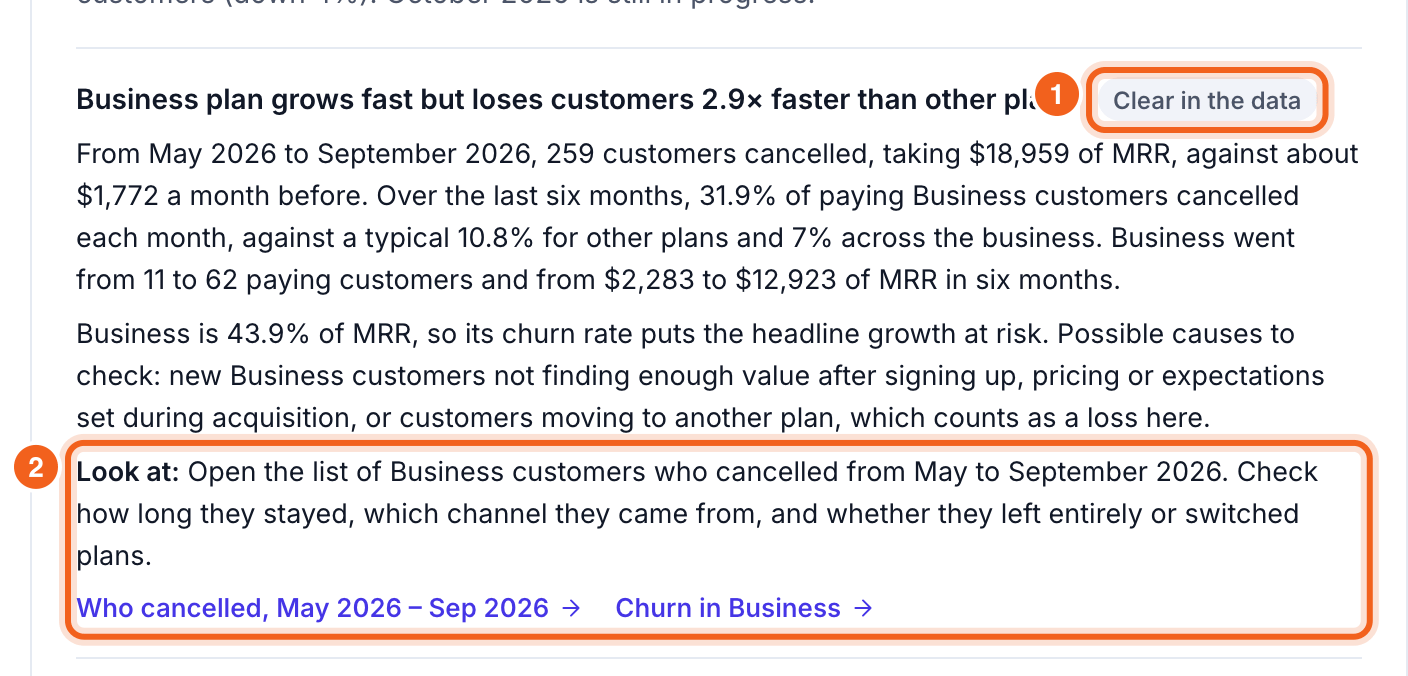
A finding, with its confidence label and Look at link numbered 1 and 2
Everything the check found lists every finding, largest impact first, marked High, Medium or Low impact.

Notes on your timeline

Add what happened when (a price change, a launch, an outage) under Notes on your timeline. Notes show as markers on your revenue charts, and next week’s check uses them to explain the numbers: a churn rise right after a price change reads differently once the price change is noted.

Notes on your timeline, with a new note being added outlined

On your charts

Months with a finding or a note are marked on the Overview’s revenue chart with a dashed line, and listed under the chart. Each one links back to What changed.

Customers or your own unit

If you count shops, stores or seats, What changed keeps a report for each. Switch at the top of the page. Counted by store, a seller opening a second store is new business, not expansion.

When it runs

Every Monday, for every workspace with a billing connection. The first check runs when you first open the page and takes a minute or two. The page always shows the latest check; nothing is calculated while you wait. You need a few months of history before there’s anything to find.