

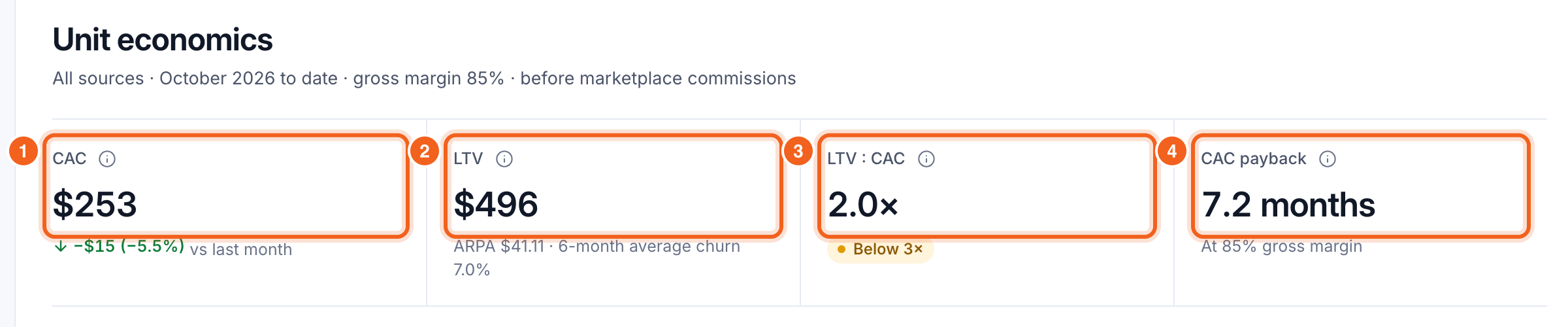
- CAC: customer acquisition cost. Sales and marketing spend over the last three months ÷ new customers in those months. It shows “Needs spend” until you enter spend.
- LTV: lifetime value. ARPA × gross margin ÷ monthly customer churn, using the six-month average churn.
- LTV : CAC: how many dollars of lifetime gross profit each acquisition dollar returns. 3× or more is marked healthy.
- CAC payback: the months of gross profit one customer takes to earn back their CAC. CAC ÷ (ARPA × gross margin).
Set your gross margin
LTV and payback use your gross margin. It’s 85% until you change it under Settings → Revenue calculations → Gross margin. Count hosting, payment fees and support costs.Enter your spend
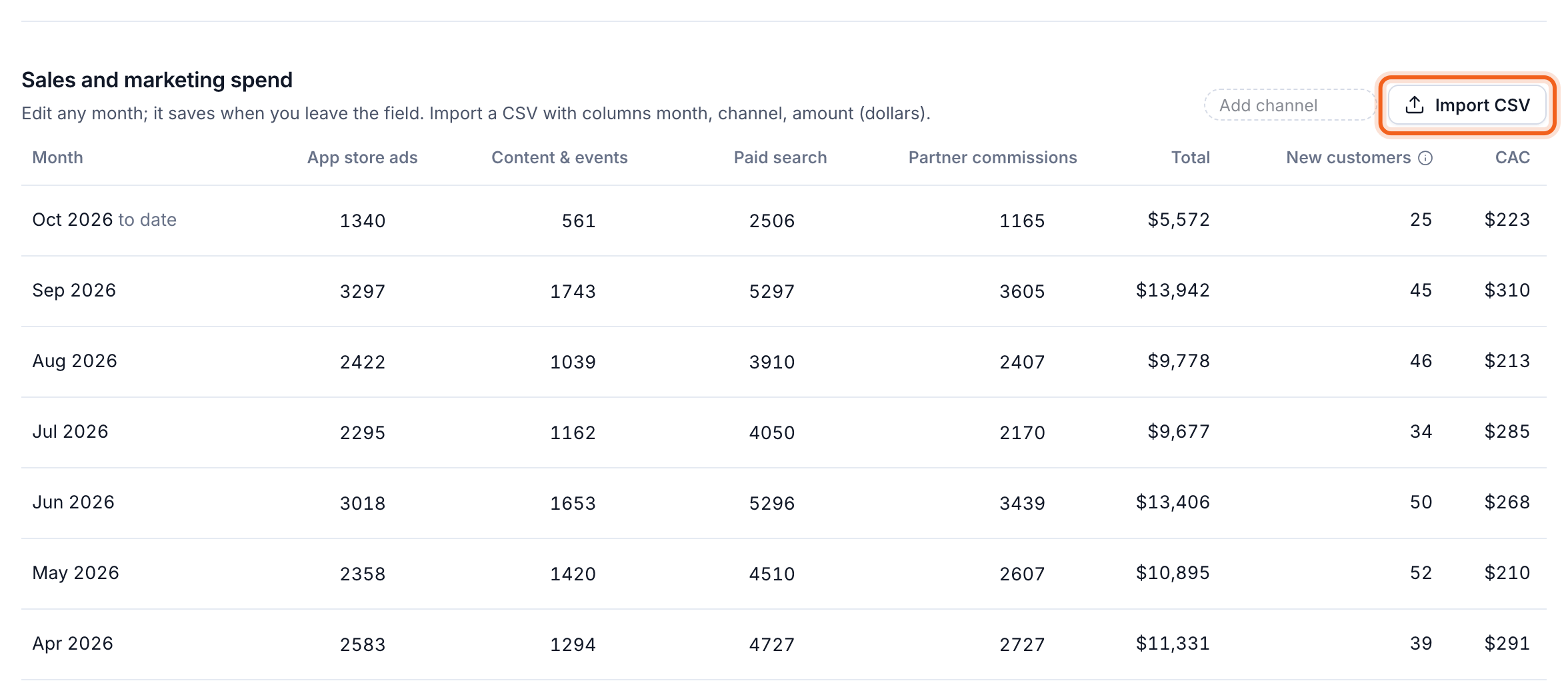
Under Sales and marketing spend, type each month’s spend per channel. It saves when you leave the field. Add your own channels with Add channel. To bring in many months at once, select Import CSV. Use the columnsmonth, channel and amount (in dollars).
When you filter by source or drill into a breakdown, LTV and payback follow the filter. Spend isn’t split by segment, so CAC stays blended across all customers.