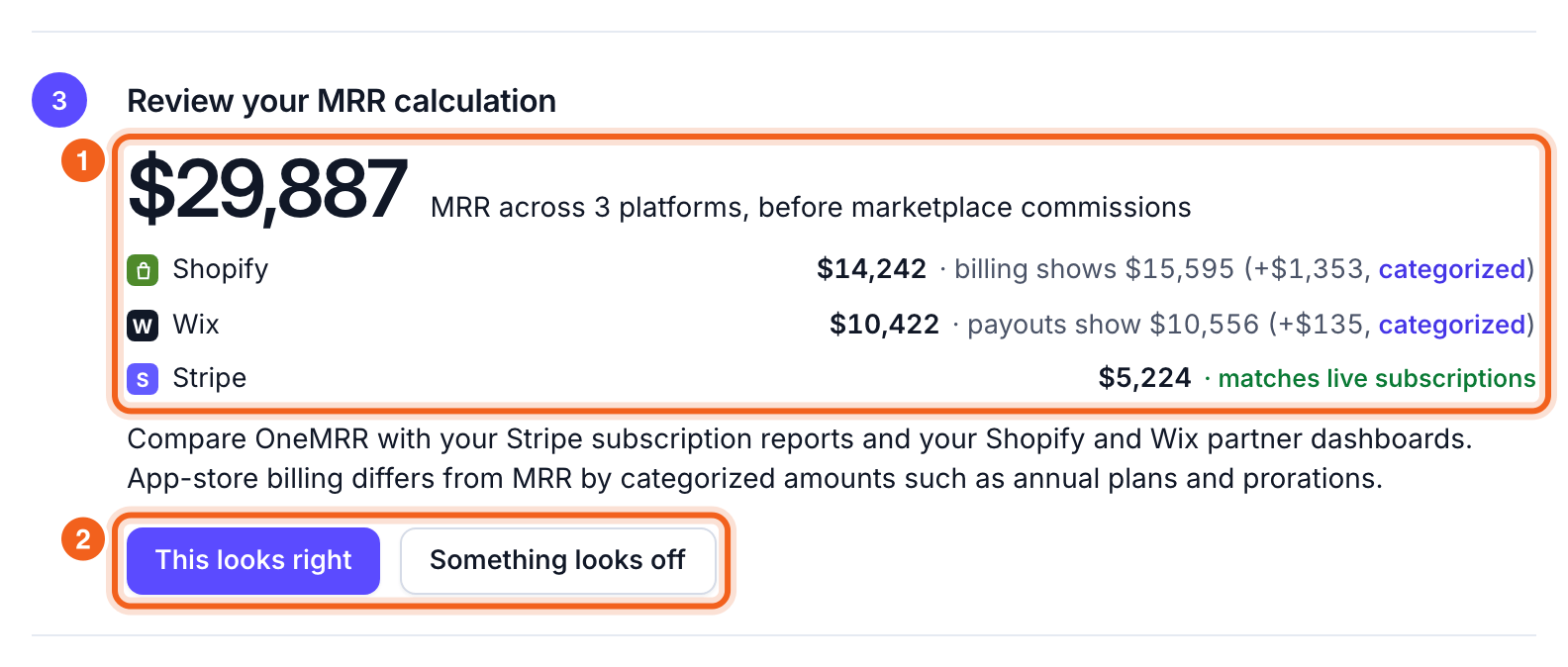
- The total and one row per source. Each row says whether it matches the platform’s billing. If it doesn’t, the row shows what billing says and the difference, categorized.
- The two buttons. Select This looks right to finish and go to the Overview. Select Something looks off for the most common reasons a number differs, by platform.
See every difference
OneMRR compares each source with what the platform itself says: live subscriptions for Stripe, the last 30 days of bills for Shopify, and the latest payouts for Wix. Billing and MRR measure different things, so OneMRR puts each customer’s difference into one category. The categories add up exactly to the gap. Open Connections and expand Reconciliation on a source’s card. Select a category to see its customers, largest difference first.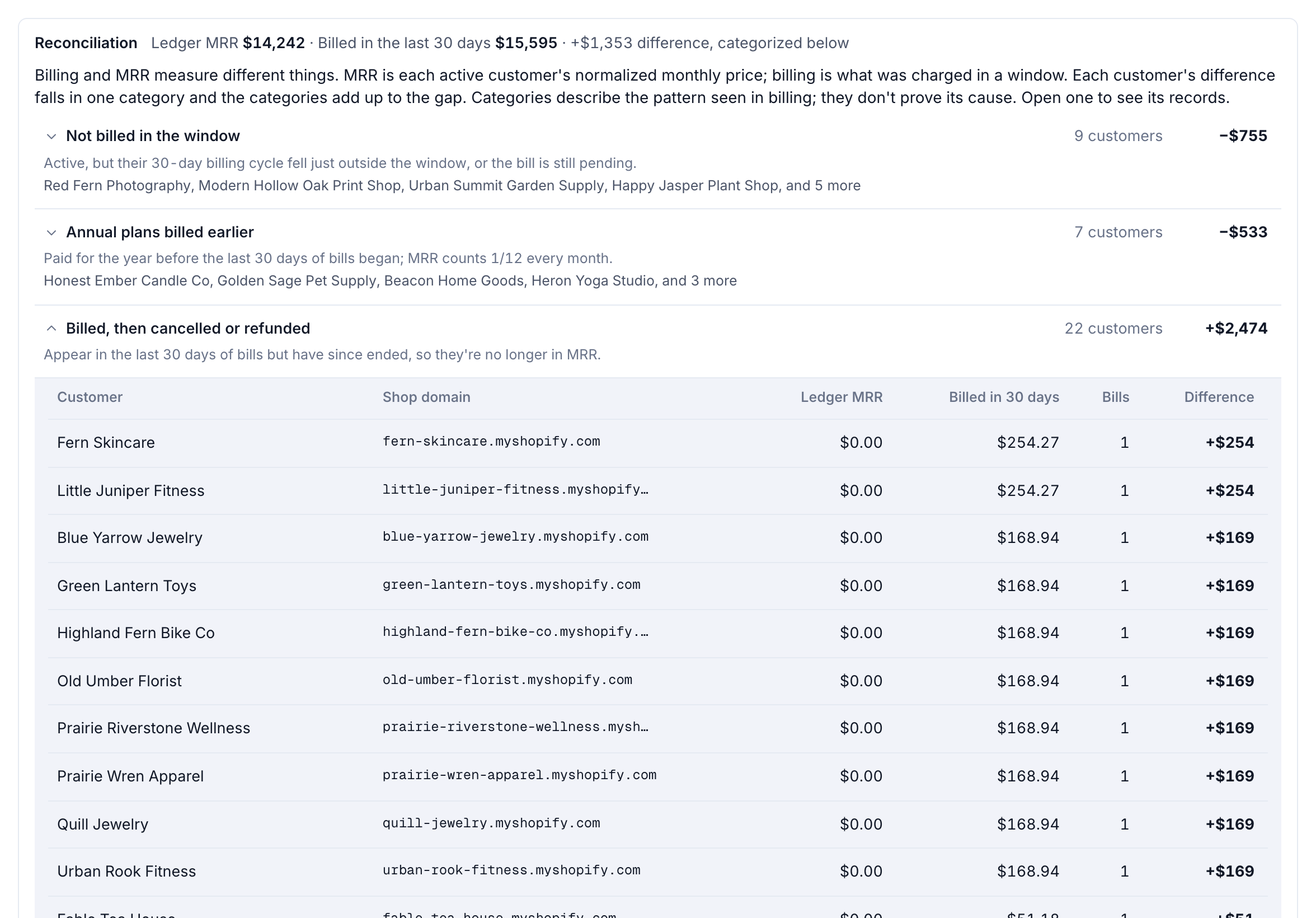
The categories describe the pattern seen in billing. They don’t prove the cause.
Choose which Stripe products count
Stripe accounts often sell more than subscriptions. On the Stripe card, Products counted as MRR lists every product on a subscription. Untick any that shouldn’t count as recurring revenue, then select Save MRR products and re-sync.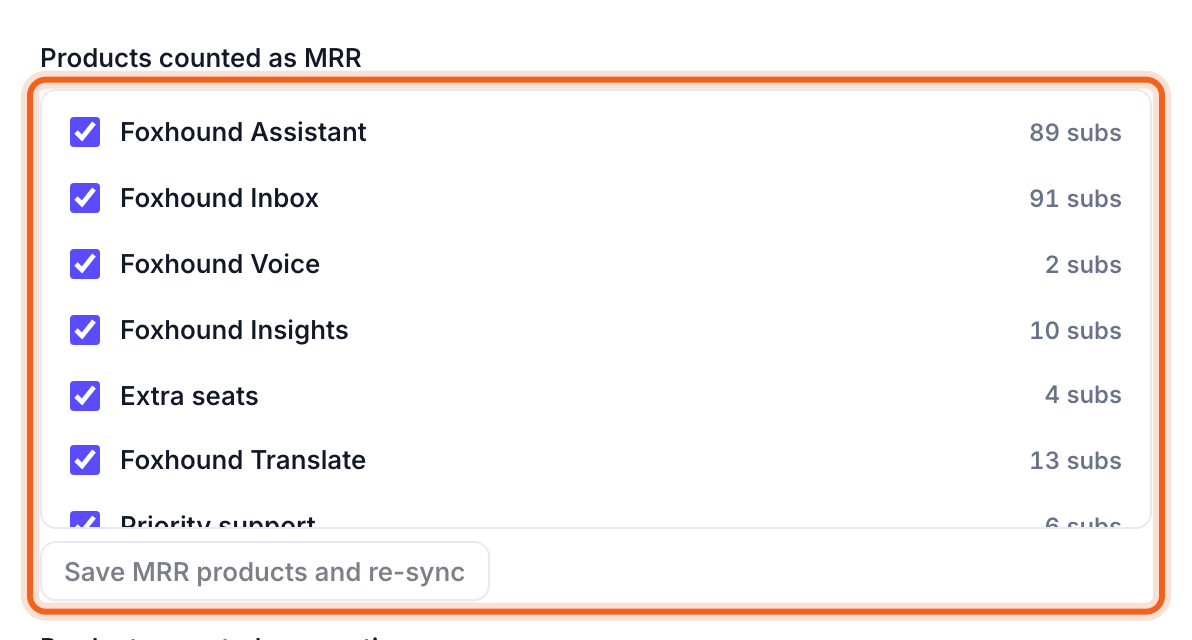
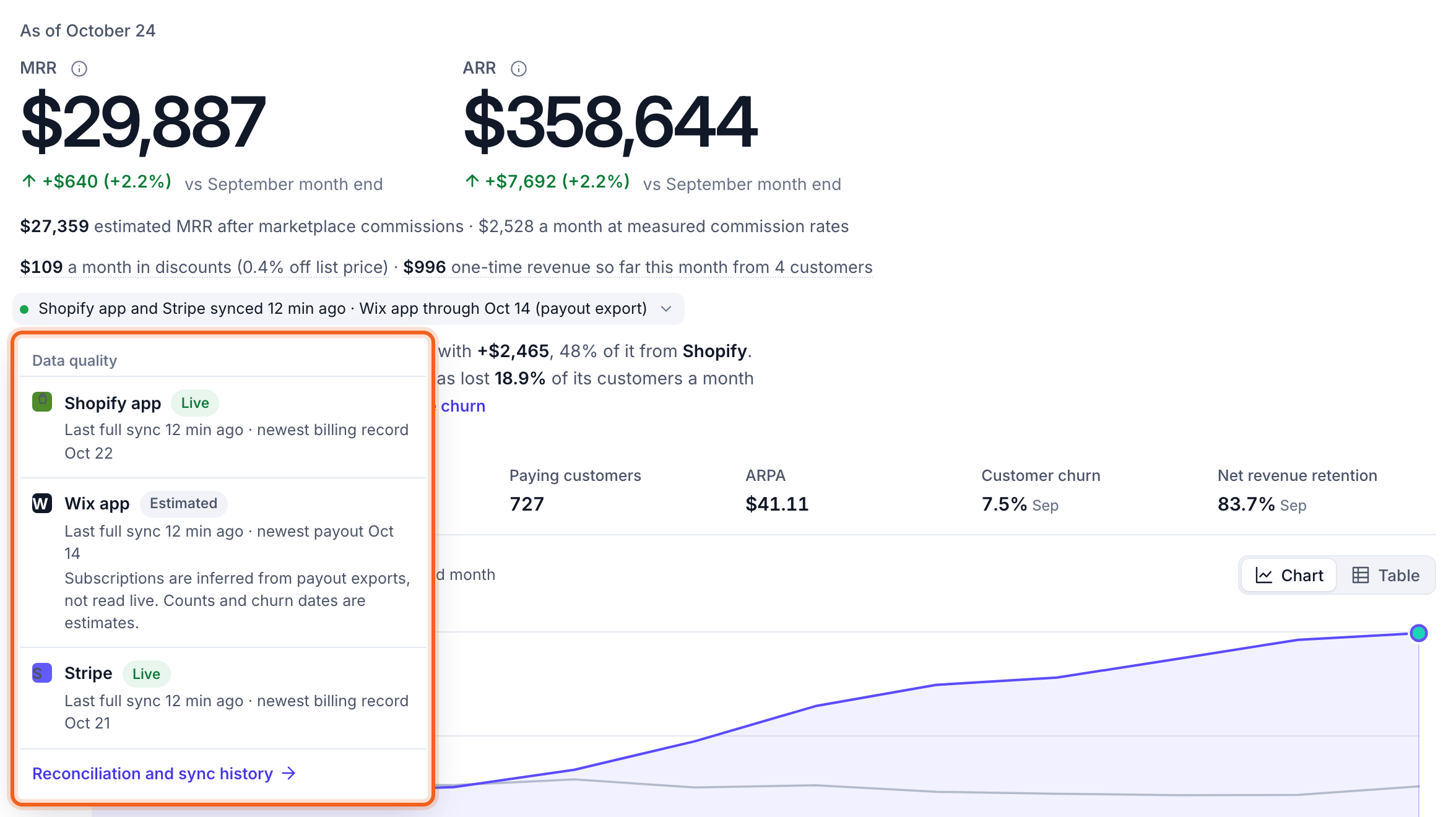
Check freshness on the Overview
On the Overview, the line under MRR and ARR says when each source last synced. Select it to see each source’s status and its newest billing record. The link at the bottom opens the reconciliation and sync history.