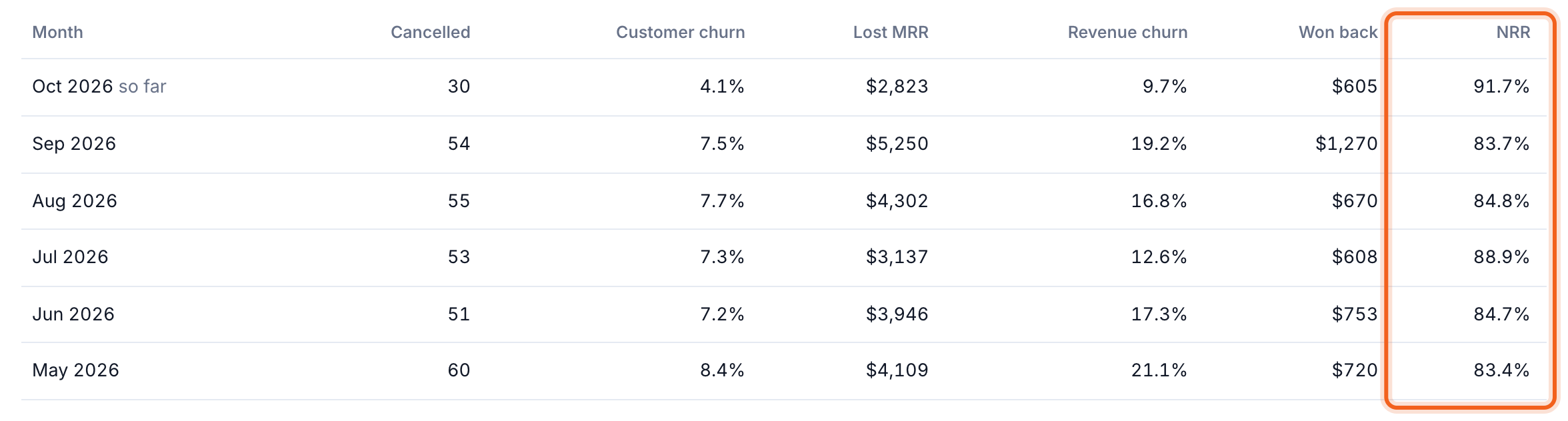
- Lost MRR: MRR lost to cancellations and downgrades this month so far.
- Customer churn: paying customers who cancelled in the last full month ÷ paying customers at the start of that month.
- Revenue churn: (churn + contraction) ÷ starting MRR, before win-backs. Below it is your NRR, net revenue retention.
- MRR at risk: the MRR of customers whose product activity dropped, from Churn Signals. Select it to open At risk.
Who left
Recent churn lists the last 90 days. Switch between Churned, Downgrades and Won back, and sort by Largest or Newest. Each row shows the plan, the date and how long they paid. Select one for their full history.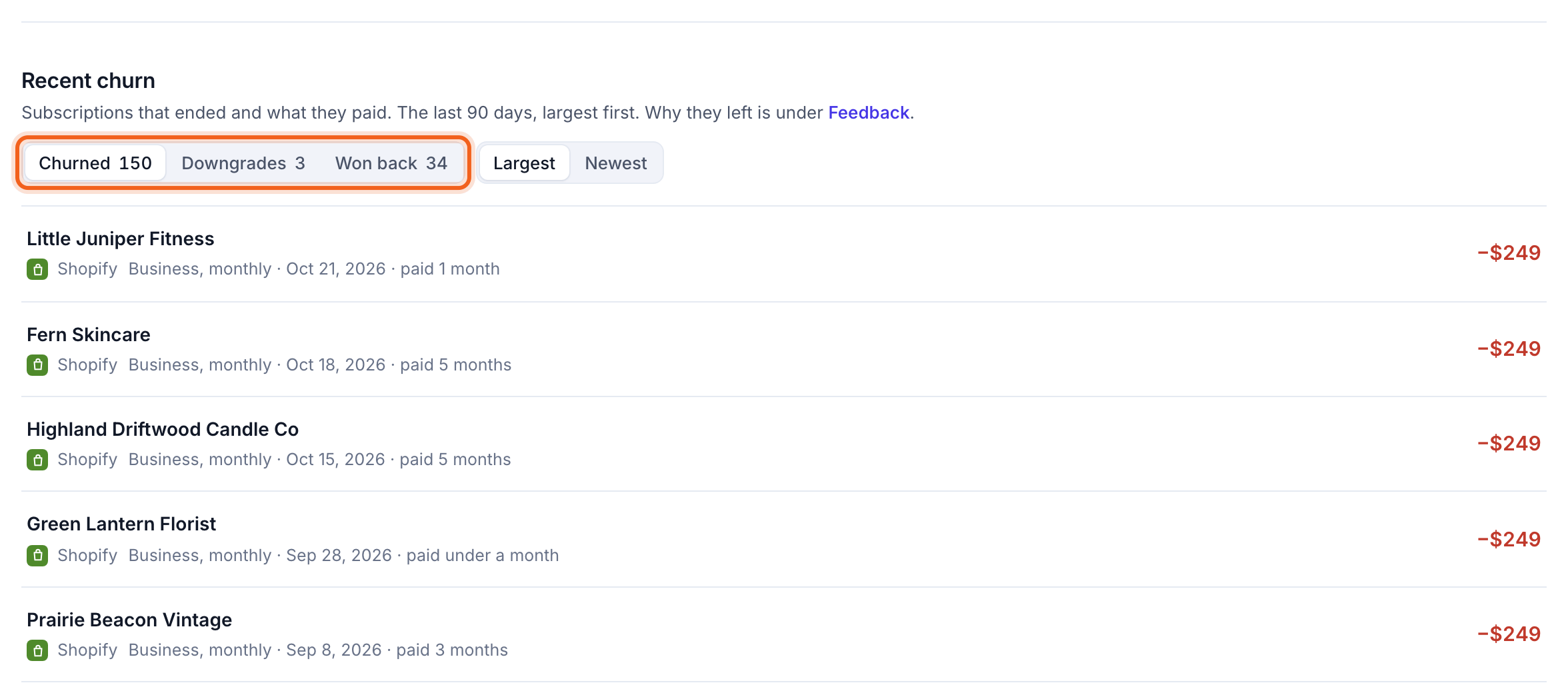
Month by month
Churn history charts lost MRR by month, split into churn and contraction. The table below has the last six months: cancellations, customer churn, lost MRR, revenue churn, MRR won back, and NRR.