Read a signal
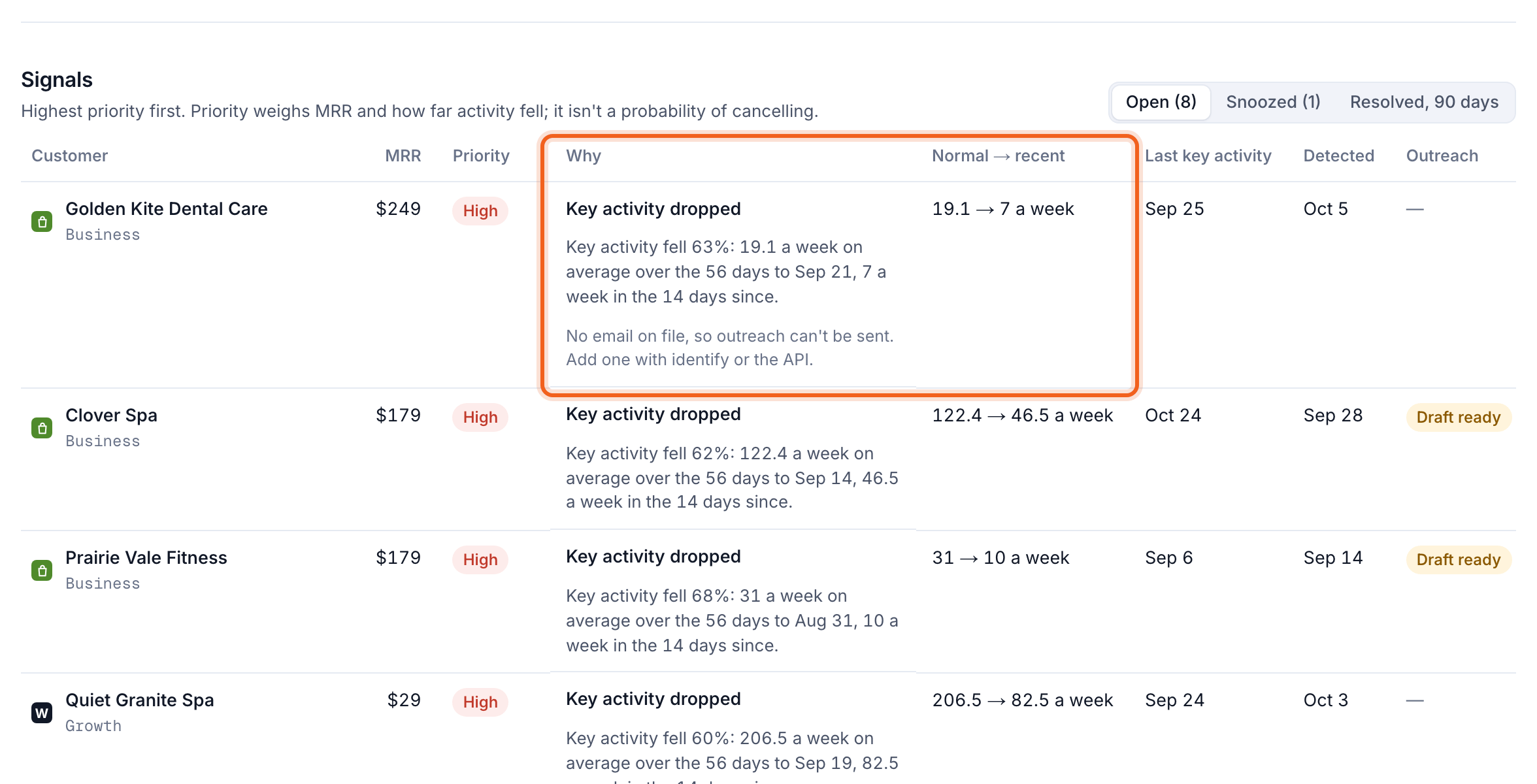
- Priority: High, Medium or Low. High means a valuable customer or a steep fall. Low means they’ve already asked to cancel.
- Why: which rule flagged them, in a sentence, such as “Key activity fell 63%: 19 a week on average over the 56 days to Sep 21, 7 a week in the 14 days since.”
- Normal → recent: their usual activity against the latest.
- Last key activity and when the signal was Detected.
Take action
Open a signal’s ⋯ menu: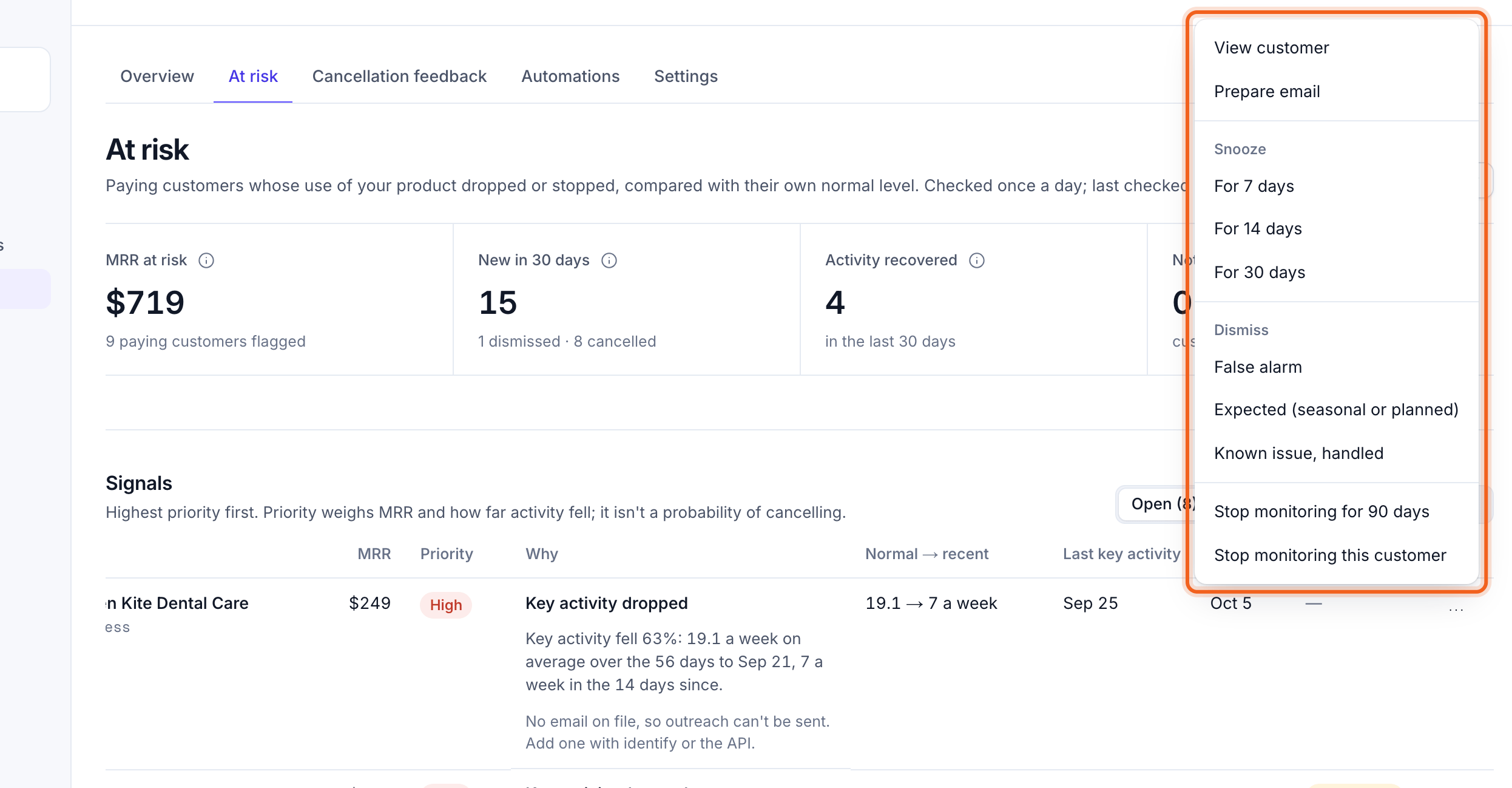
- Prepare email: draft a friendly check-in from your published retention email, to review and send.
- Snooze for 7, 14 or 30 days.
- Dismiss with a reason: false alarm, expected (seasonal or planned), or a known issue that’s handled.
- Stop monitoring the customer for 90 days, or for good.
- View customer for their full history.
See the activity
In a customer’s details, Activity and churn signals charts their weekly activity, so you can see when it changed.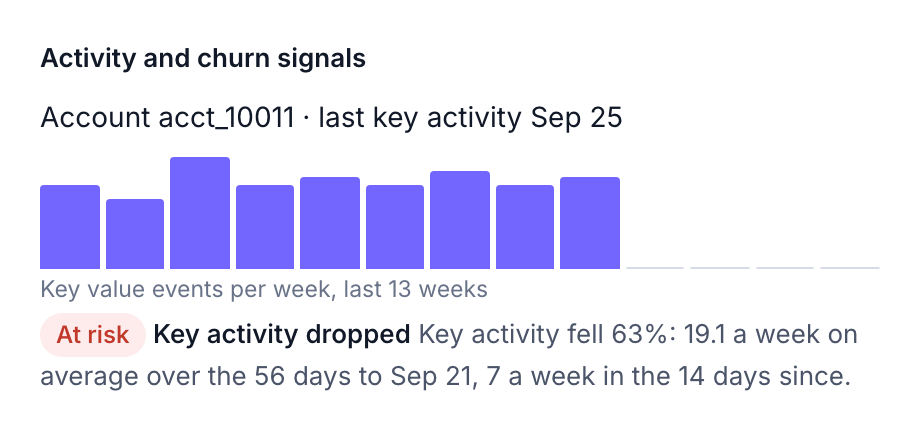
Did it work?
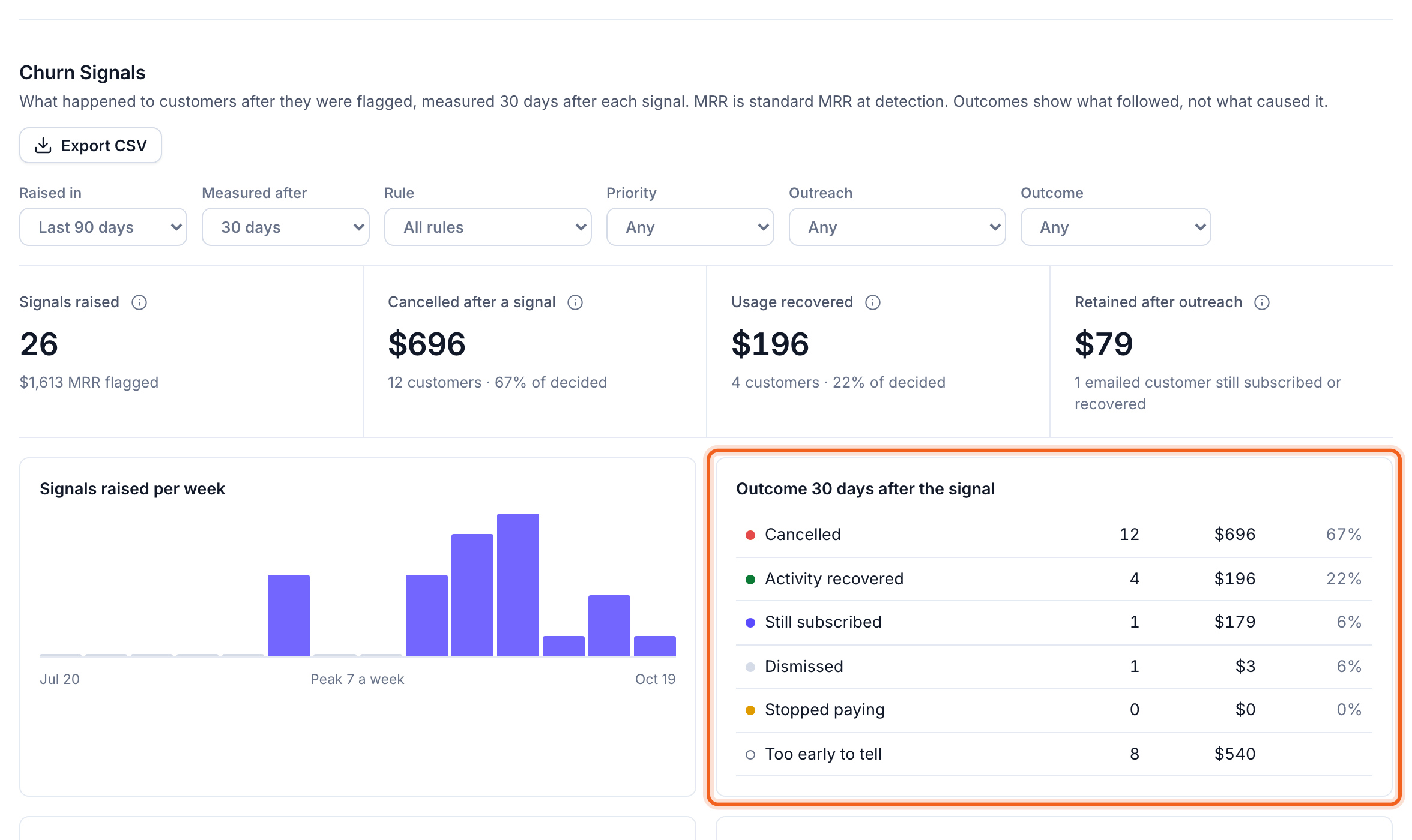
On Churn & retention → Overview, the Churn Signals report shows what happened after each signal: cancelled, activity recovered, still subscribed, dismissed, stopped paying, or too early to tell. Filter by period, rule, priority, outreach and outcome.