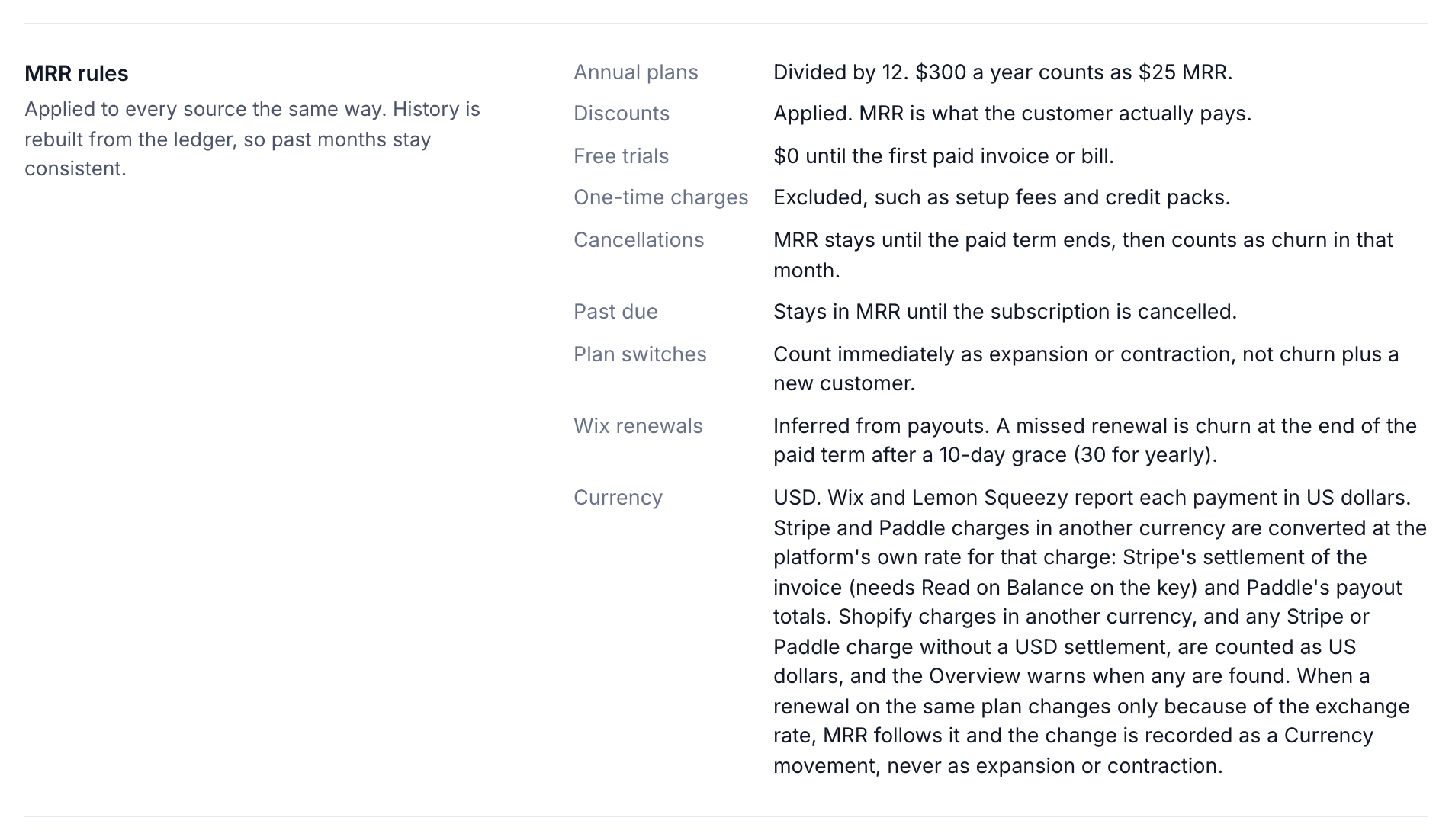
MRR is the monthly price of every active subscription at month end, after discounts. It excludes tax, usage, one-time charges and free trials. OneMRR applies the same rules to every source and rebuilds its history from your billing, so past months stay consistent. You can read the rules any time under Settings → Revenue calculations → MRR rules.
The MRR rules in Settings outlined

Before or after marketplace commissions

By default, MRR is what customers pay, before marketplace commissions. That’s the standard definition. Under Settings → Revenue calculations → Revenue basis, you can choose Estimated MRR after marketplace commissions instead. It takes out Wix’s and Shopify’s commission at the rates below it. OneMRR measures each commission rate from the last 12 months of payouts. To use your own agreement’s rate, type it under Marketplace commissions and select Save. Payment processing fees aren’t deducted, so this isn’t take-home revenue. You can also switch between the two on any report with MRR / After commissions in the filter bar.

Recalculate history

Every sync already rebuilds your history. If you restored a backup or want to start fresh after changing a rule, select Settings → Advanced → Recalculate revenue history. Nothing is fetched from your platforms, and no data is deleted. Every change to a calculation setting is recorded under Change history, with who made it.