

Start from a suggestion
Suggested from your data lists metadata that most of your subscriptions or customers carry, with a handful of values, such as achannel or team_size key in Stripe. Select Preview to see how it would split your revenue, then save it. Select Dismiss to hide a suggestion.

Create one from rules
Select New breakdown, give it a name, and add rules. Each subscription gets one value at every moment:- Rules run top to bottom. The first rule that matches wins.
- Anything no rule matches is Unassigned, so gaps in your data stay visible.
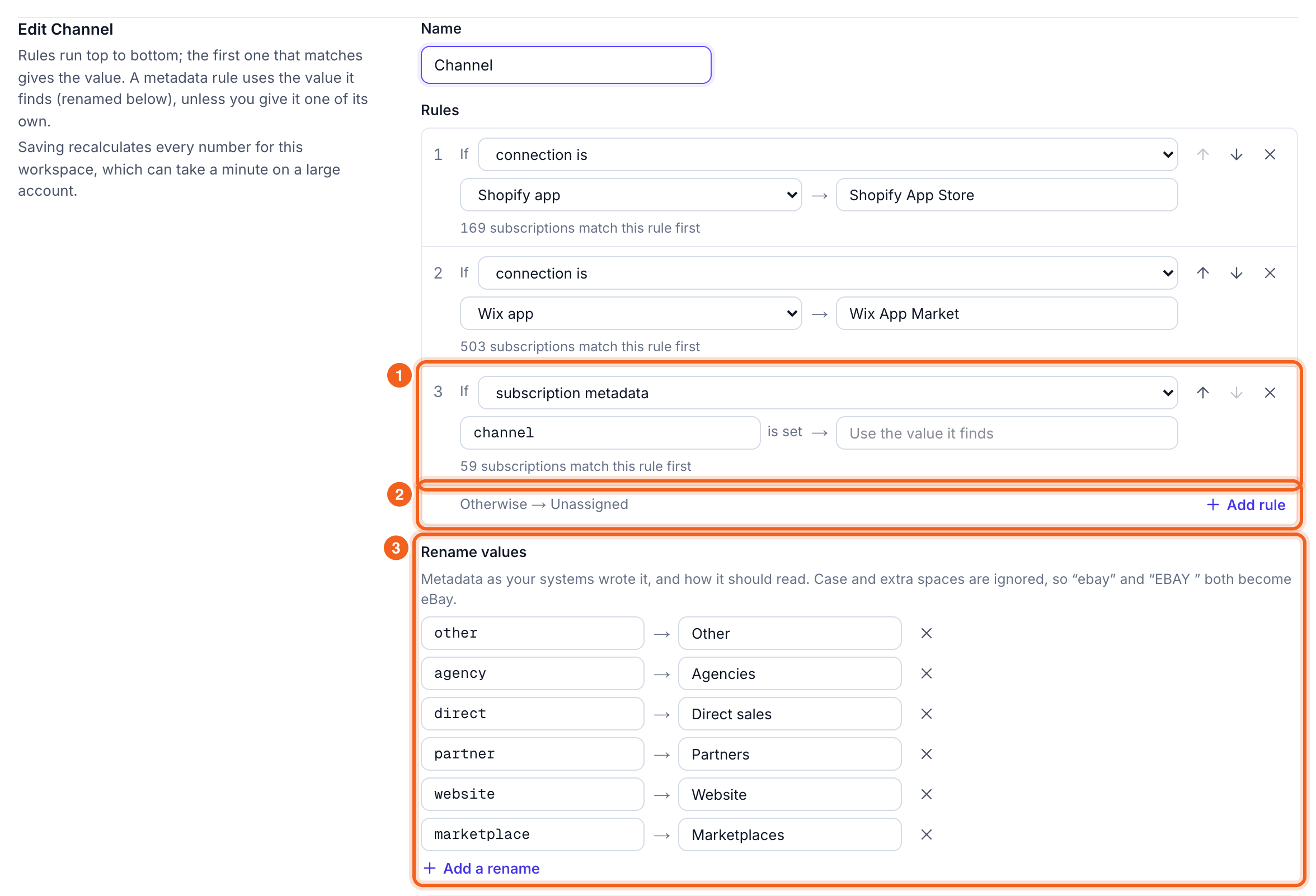
- A rule, such as “If subscription metadata
channelis set → use its value”. The count under it shows how many subscriptions it matches first. - Otherwise → Unassigned catches everything left.
- Rename values tidies what metadata says, such as
website→Website. Renames ignore case and extra spaces.
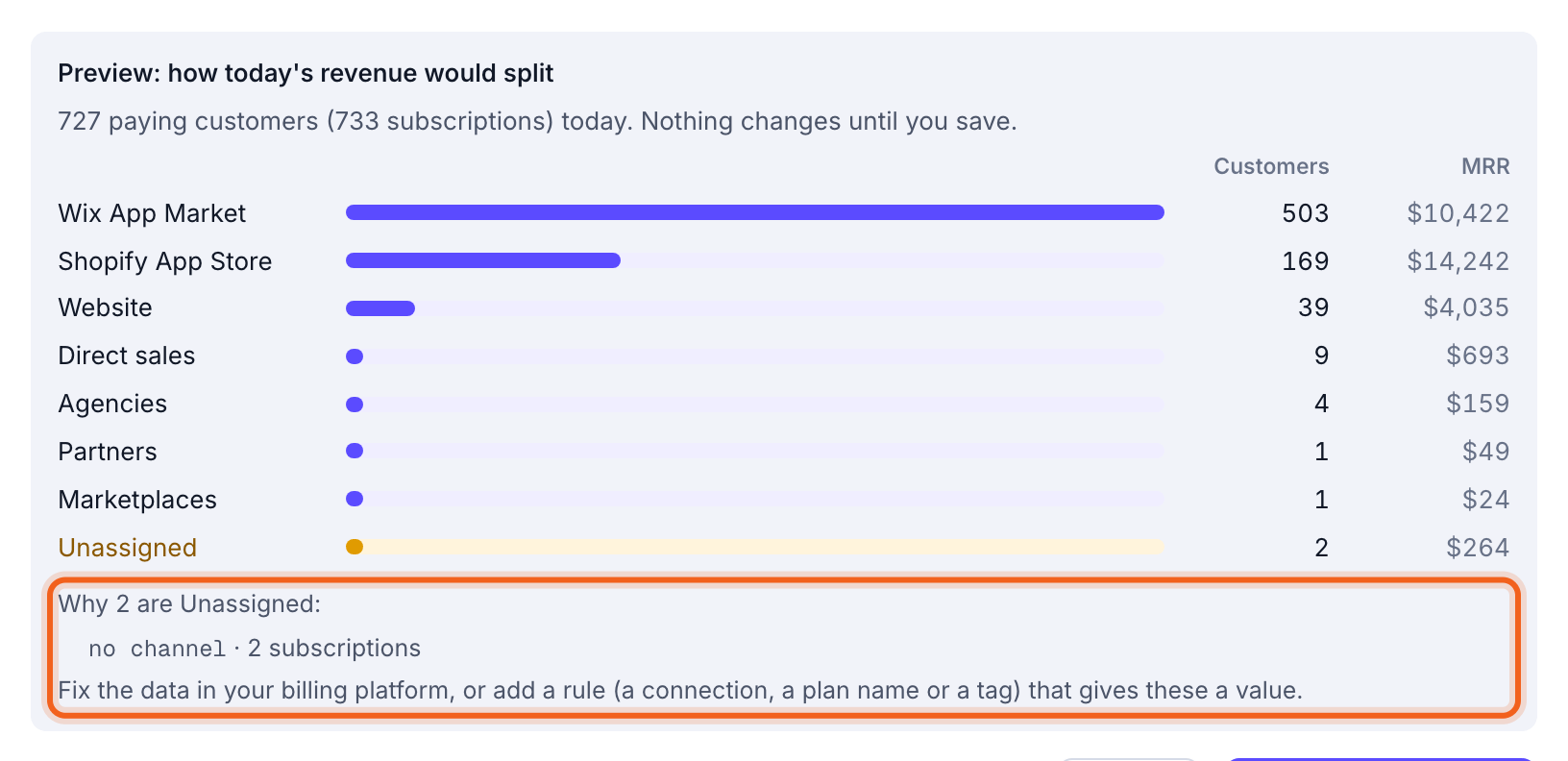
Before you save, the preview shows how today’s revenue would split. If some of it would be Unassigned, it says why, such as how many subscriptions have no
channel.
Drill order
The drill order decides what opens when you select a row on the Overview: the first breakdown at the top level, then the next one inside it. A new custom breakdown goes first. Under Drill order, move breakdowns up or down, remove them, or add one with Add to the drill order.