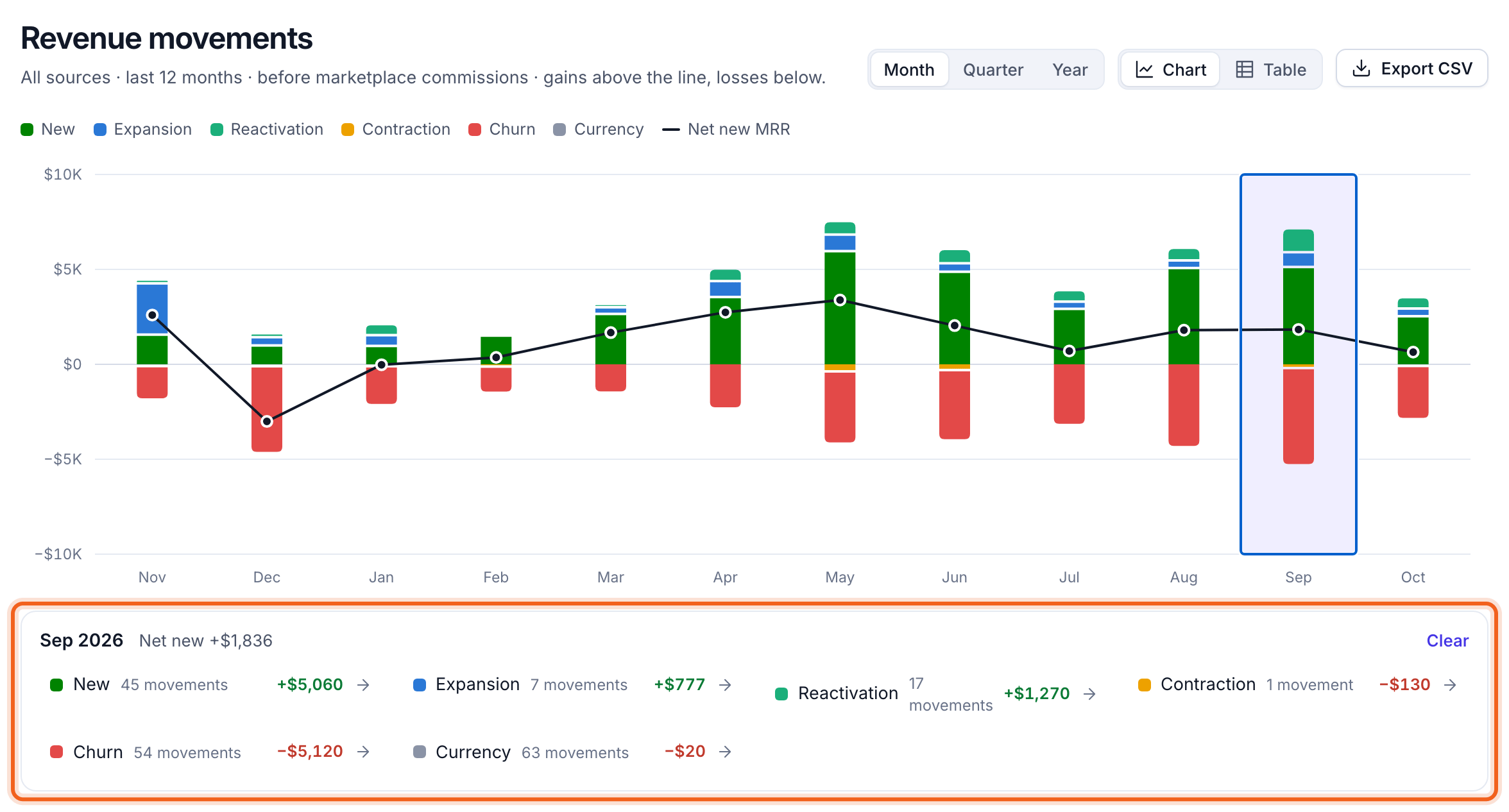
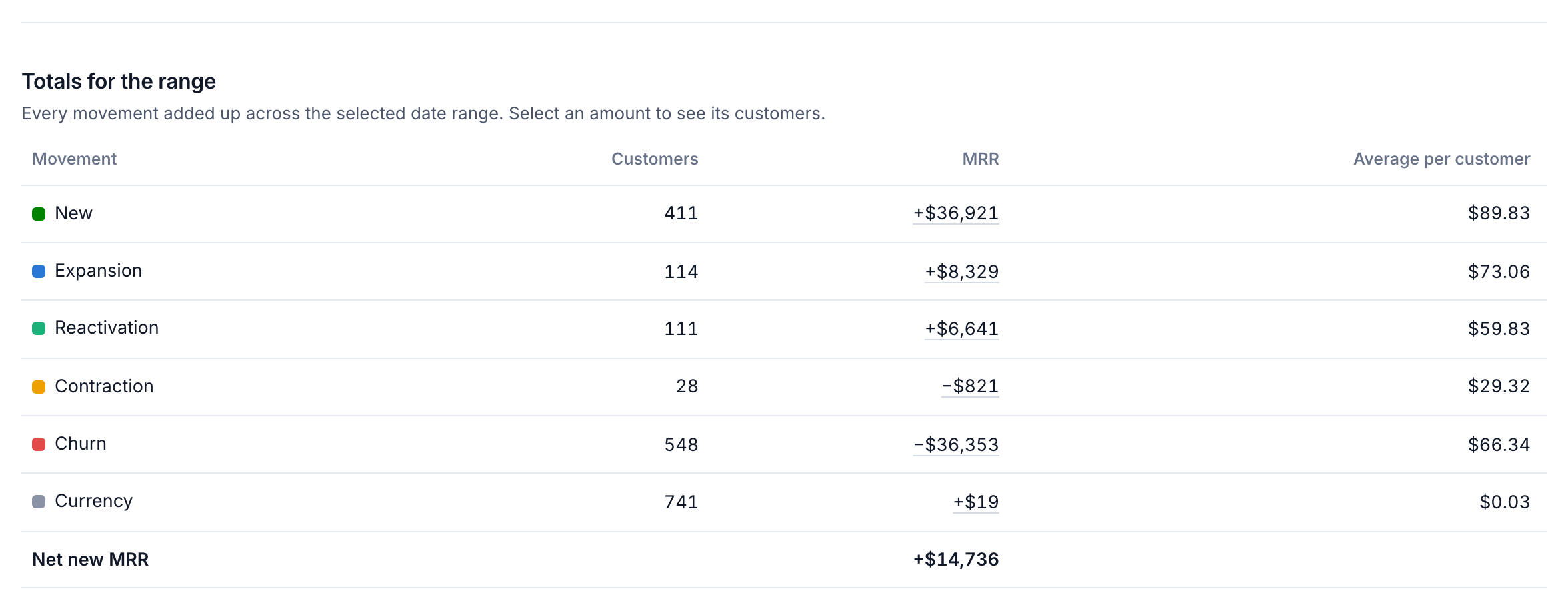
Net new MRR is new + expansion + reactivation − contraction − churn, plus any currency change.
The MRR bridge
On the Overview, MRR bridge walks from last month’s MRR to this month’s, one movement at a time. It follows the month pinned on the chart. Select a row to list its customers.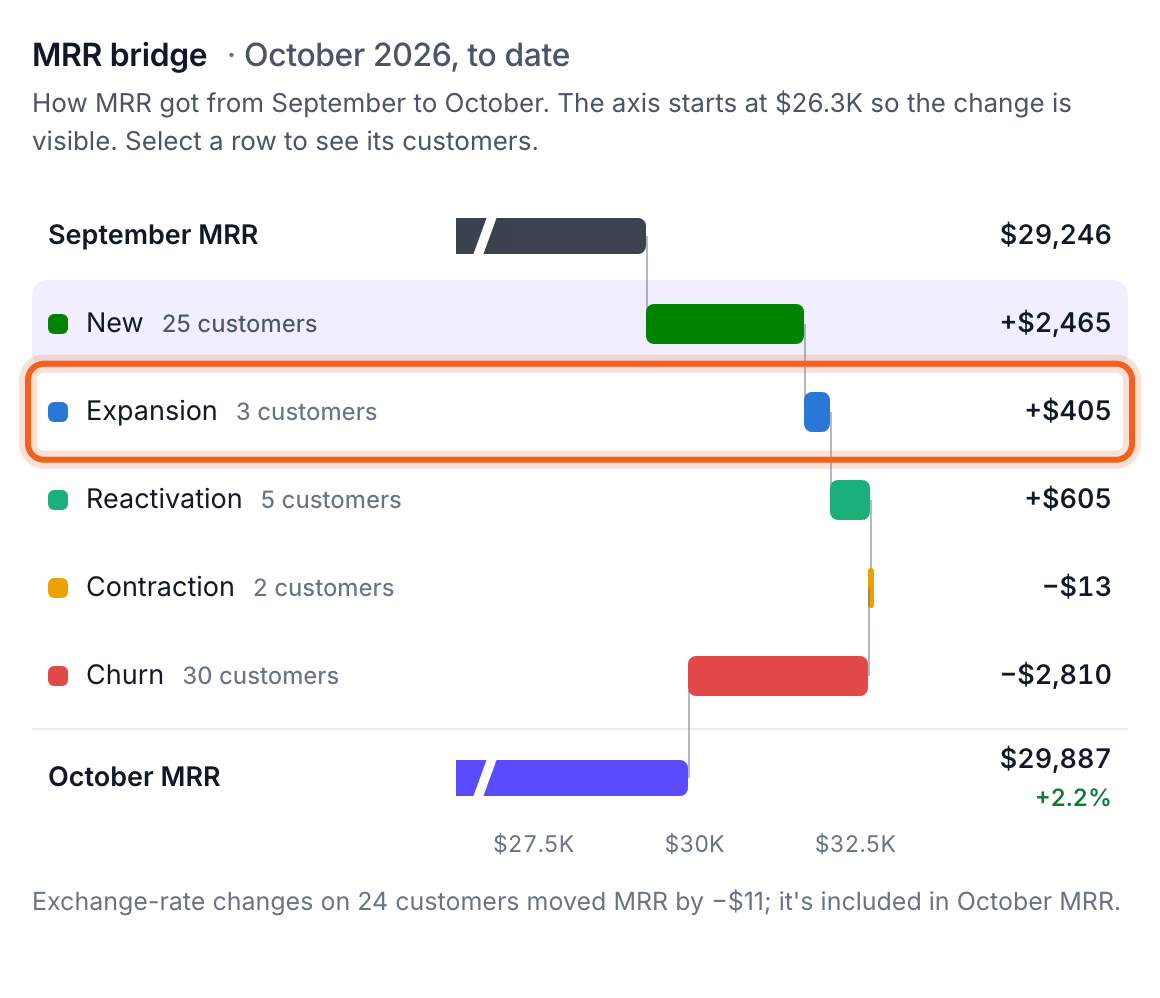
The customers behind the change
Next to the bridge, Customers behind the change lists who moved MRR that month.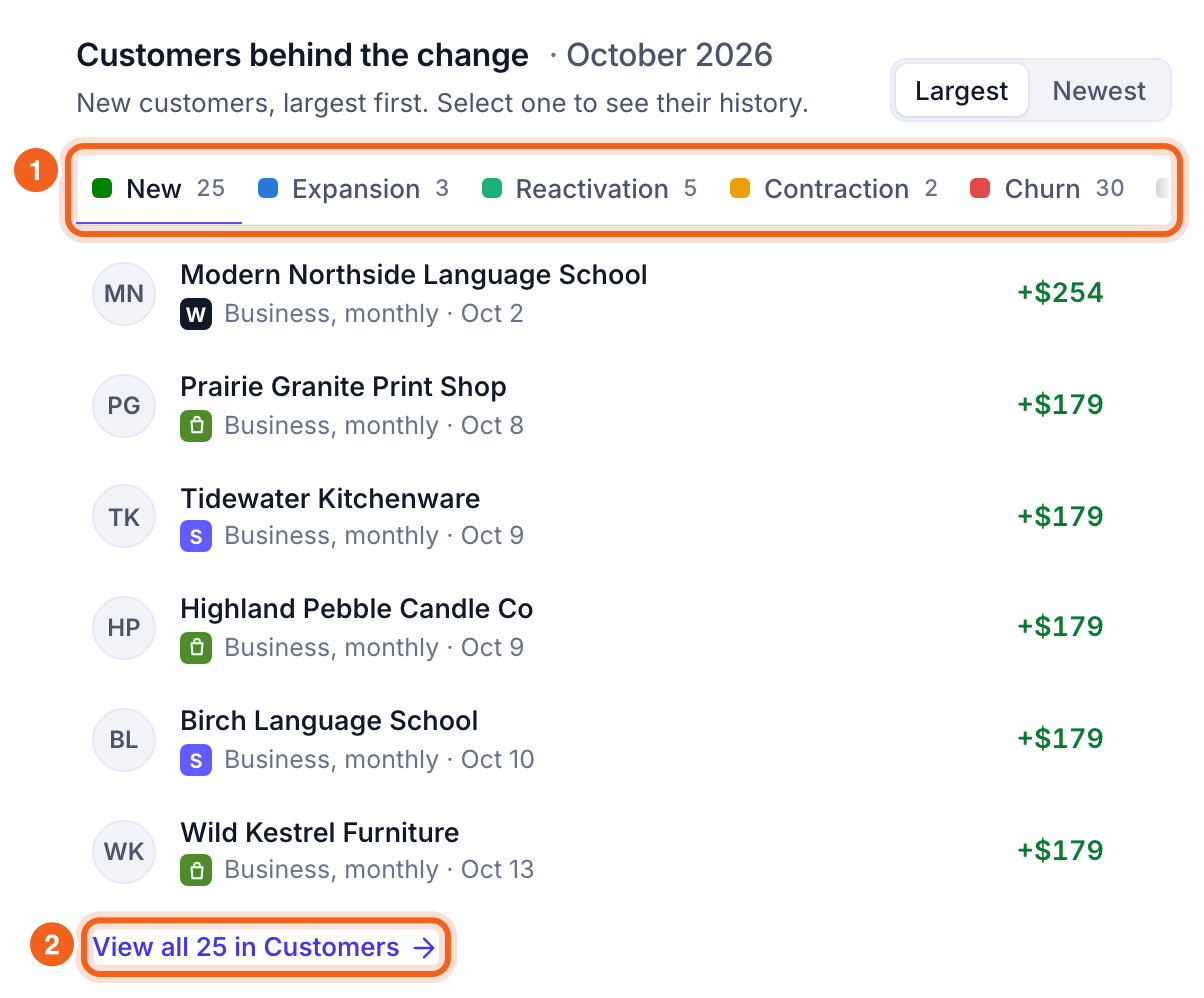
- Movement tabs. Each tab shows how many customers it has. Sort by Largest or Newest. Select a customer for their full history.
- View all in Customers. Opens the full list on Customers.
The Revenue movements page
Revenue movements shows every movement over your date range. Gains stack above the line and losses below, with net new MRR as a line. Group by Month, Quarter or Year. Select a month to see each movement’s customers and amount. Each link opens those customers.