

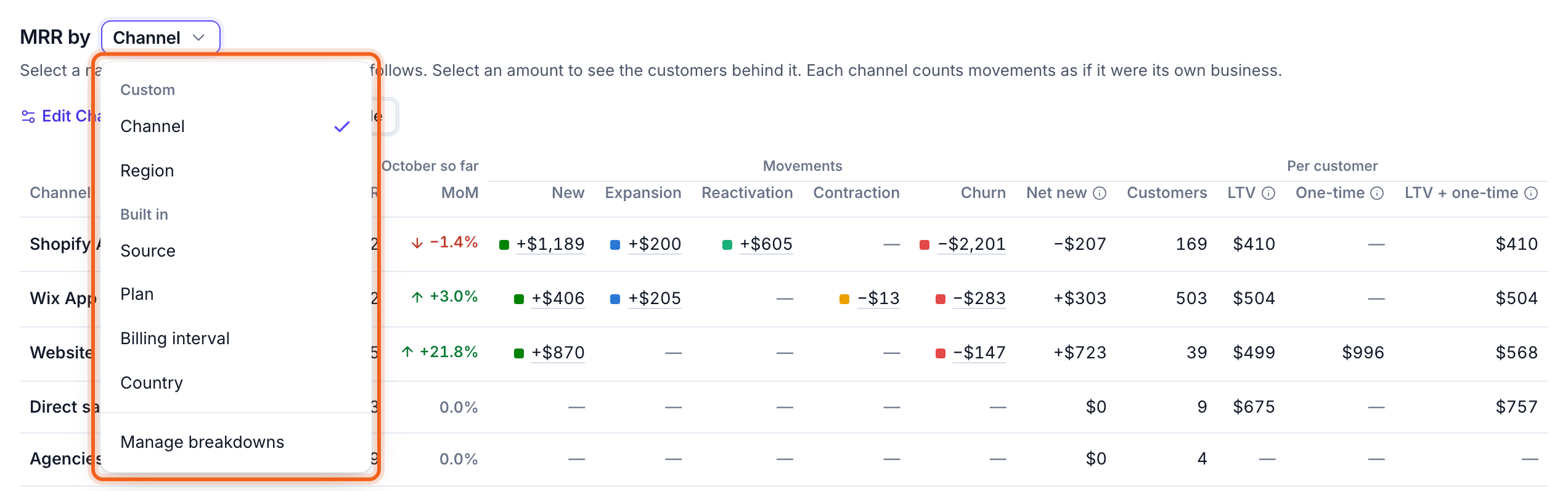
Built-in breakdowns
To split another way, such as by sales channel, region or product line, create a custom breakdown.
Read the table
Switch between Chart and Table. The table has one row per part.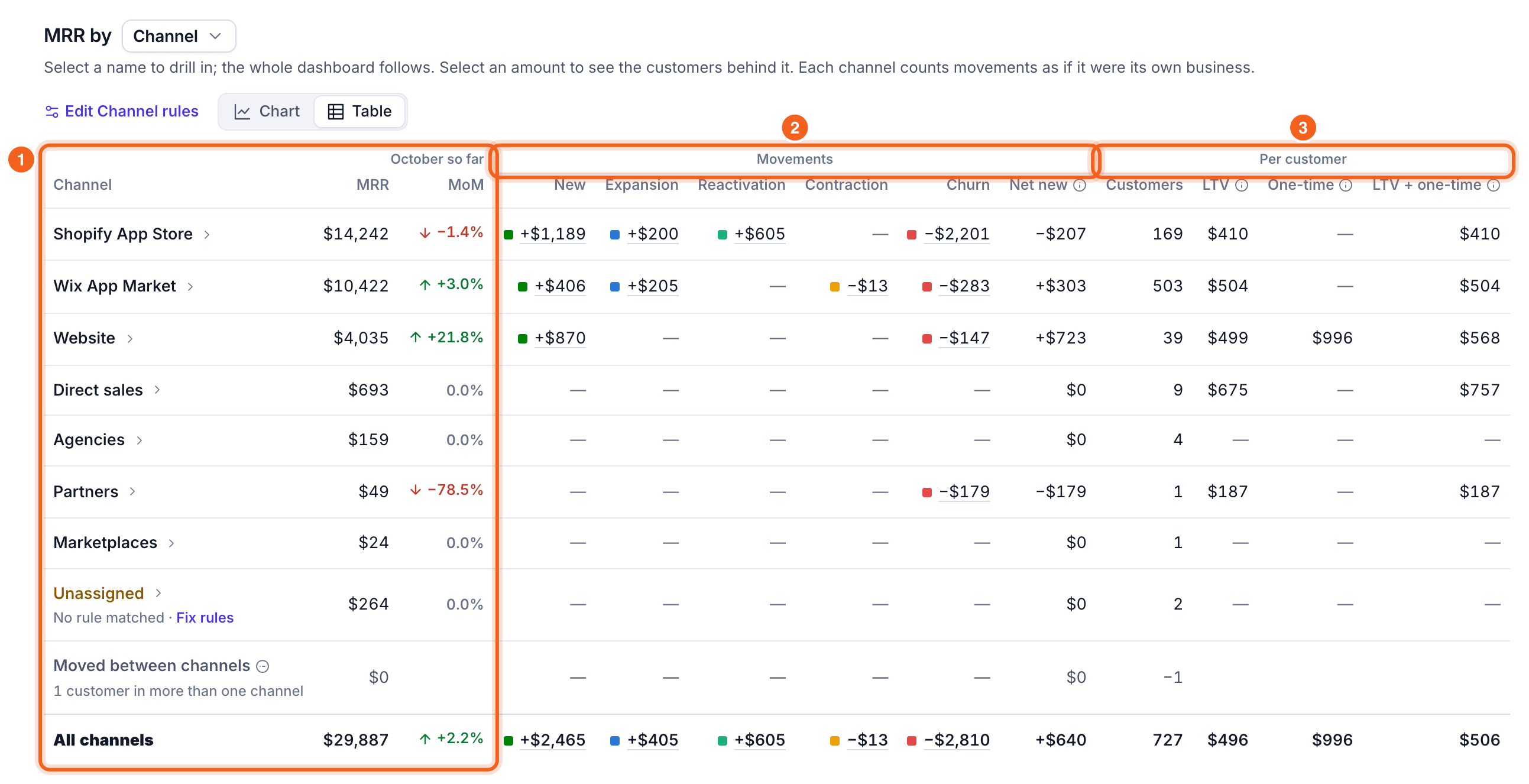
- MRR for the month, and MoM, the change from last month.
- Movements: new, expansion, reactivation, contraction and churn, and Net new. Each part counts its movements as if it were its own business.
- Per customer: how many customers, and their LTV. If you have one-time revenue, One-time and LTV + one-time appear too.
The chart
The chart shows one small card per part, on the same scale, with its share of MRR and its trend over your date range.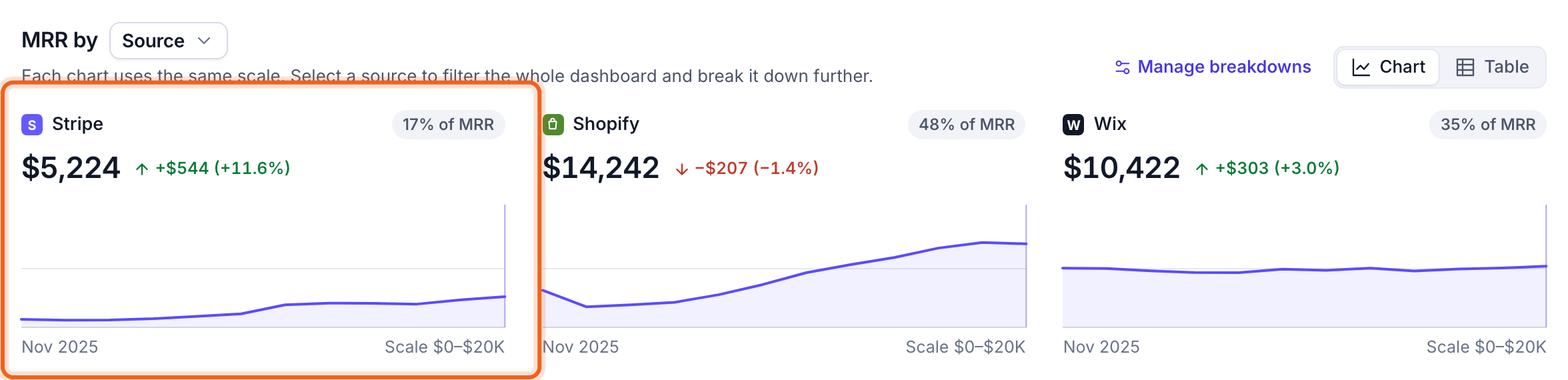
Source works like the source switch in the filter bar: selecting a source filters the whole dashboard to it, then splits it by the next breakdown.