

Set it up
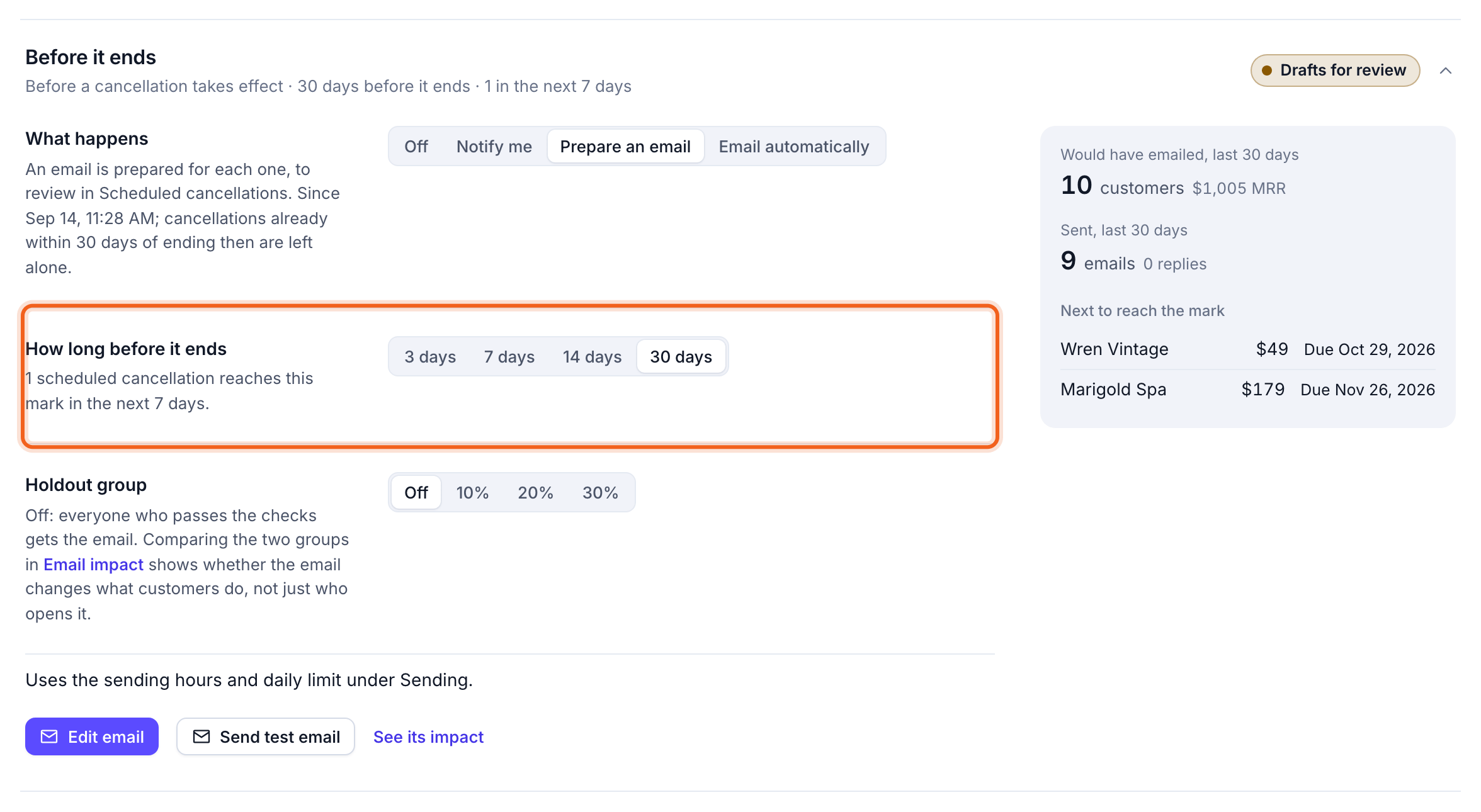
Open Churn & retention → Automations → Before it ends and choose:- What happens:
- Off.
- Notify me.
- Prepare an email: a draft for each customer, to review and send from Scheduled cancellations.
- Email automatically.
- How long before it ends: 3, 7, 14 or 30 days. OneMRR shows how many cancellations reach that mark in the next 7 days.
- Holdout group: off, 10%, 20% or 30% of eligible customers left out at random, so Email impact can show whether the email changes what they do.
Write the email
Select Edit email to write it: subject, preview text, greeting, heading, message, and an optional button (for example, to keep the plan or talk to you). The preview shows it as the customer will see it, with their own plan and end date. Select Send test email to try it before turning it on.Before each send
Right before each email goes out, OneMRR checks that the cancellation is still scheduled (not withdrawn), the customer is still paying, has an email address, and hasn’t unsubscribed or bounced. Each cancellation gets at most one email.What’s next
- Would have emailed / Sent, last 30 days show the reach so far.
- Next to reach the mark lists the next customers due.
- See its impact opens Email impact.