

1. Choose where your trials start
Open Settings → Trials. For each billing source, choose where a free trial starts: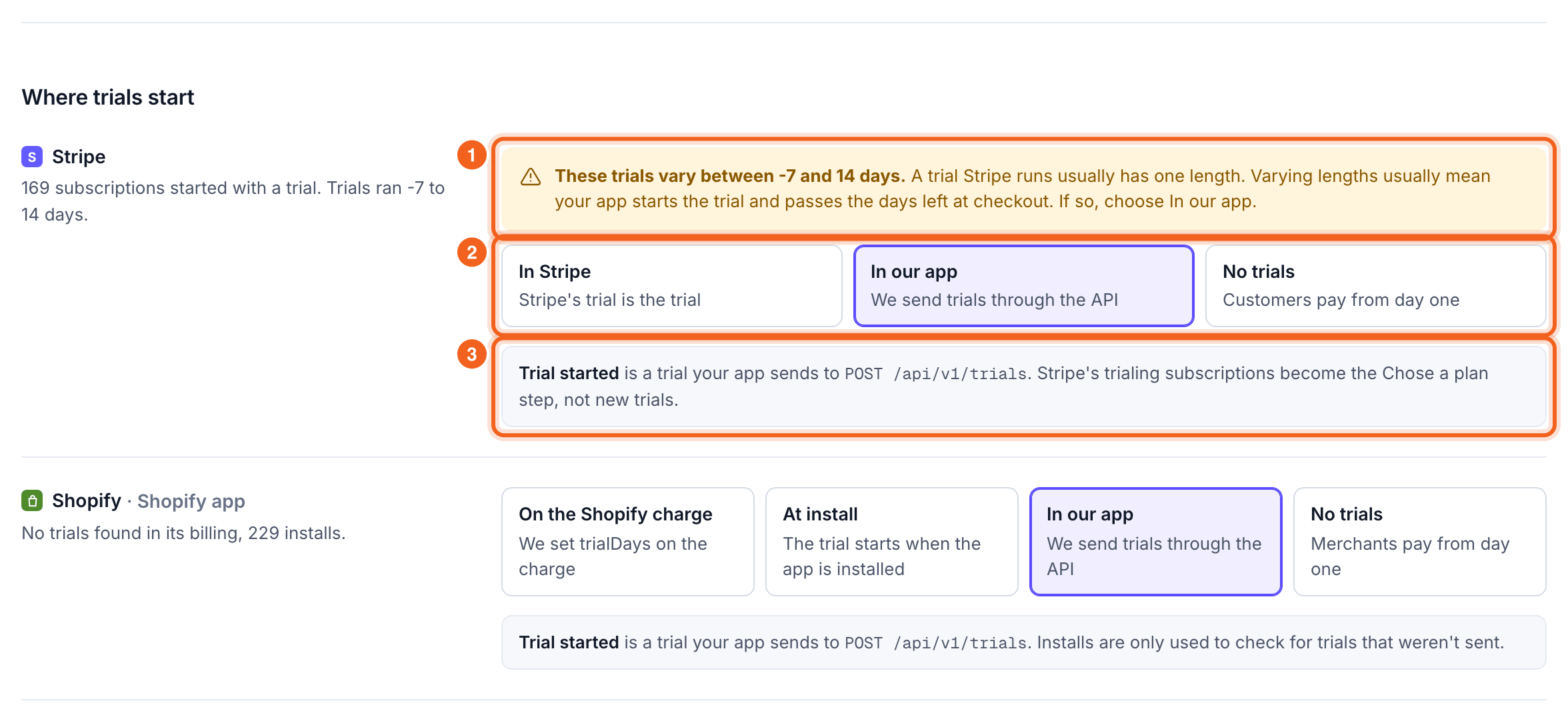
- OneMRR suggests a choice from your data. When a source’s trials all have different lengths, your app is probably starting the trial and passing the days left at checkout, so it suggests In our app.
- The choices this source can use.
- What the choice means for the numbers. With In our app, a provider’s trialing subscription counts as the Chose a plan step, not as a new trial. Shopify installs are used to check that your app sent every trial.
Counting rules
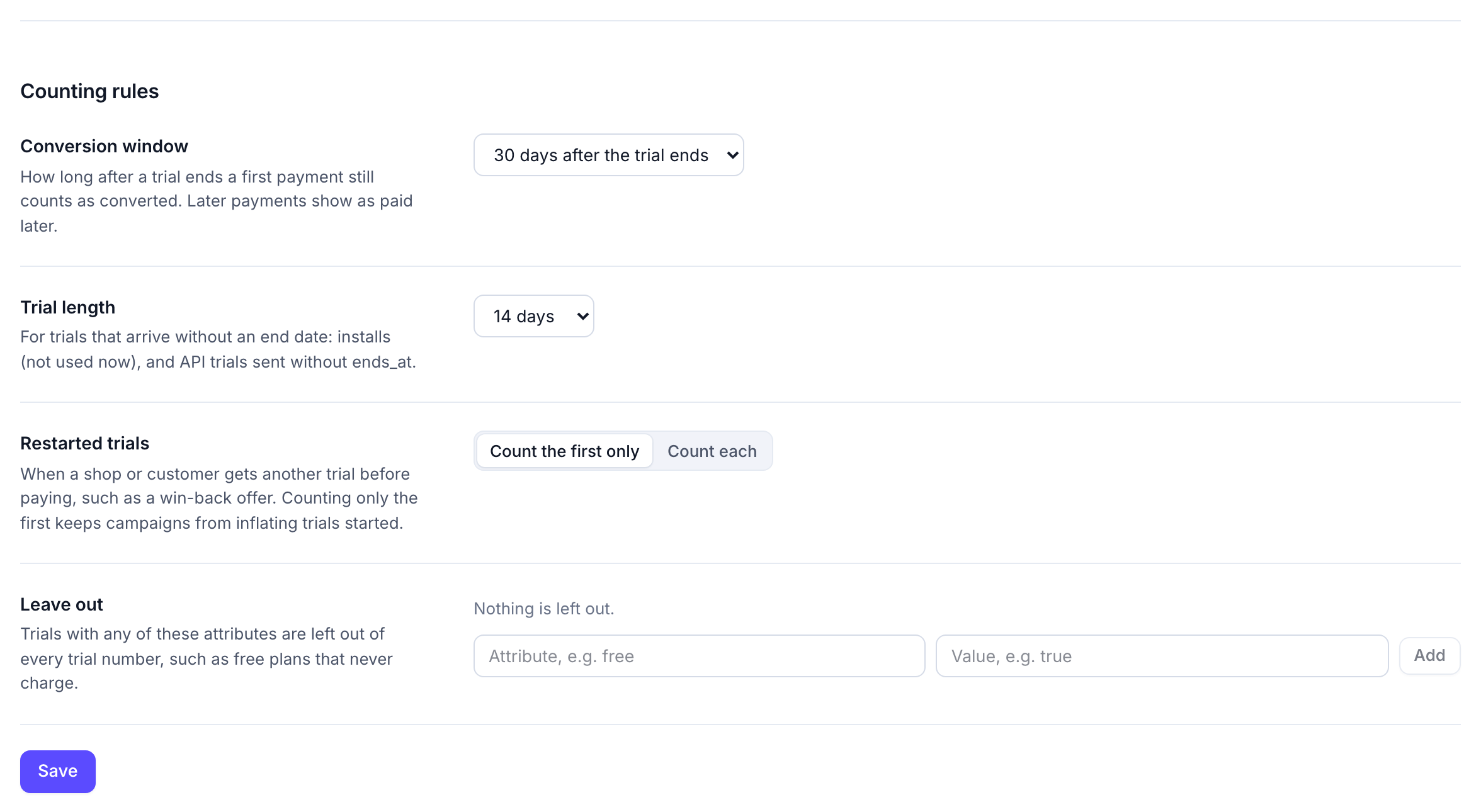
- Conversion window: how long after a trial ends a first payment still counts as converted. Payments after that show as paid later. Default 30 days.
- Trial length: for trials that arrive without an end date: installs, and trials sent through the API without
ends_at. - Restarted trials: when a customer gets another trial before paying, such as a win-back offer. Count the first only (the default) keeps campaigns from inflating trials started; the restart still shows in the list.
- Leave out: trials with an attribute you name, such as
plan = free, are left out of every number.
2. Read the Trials page
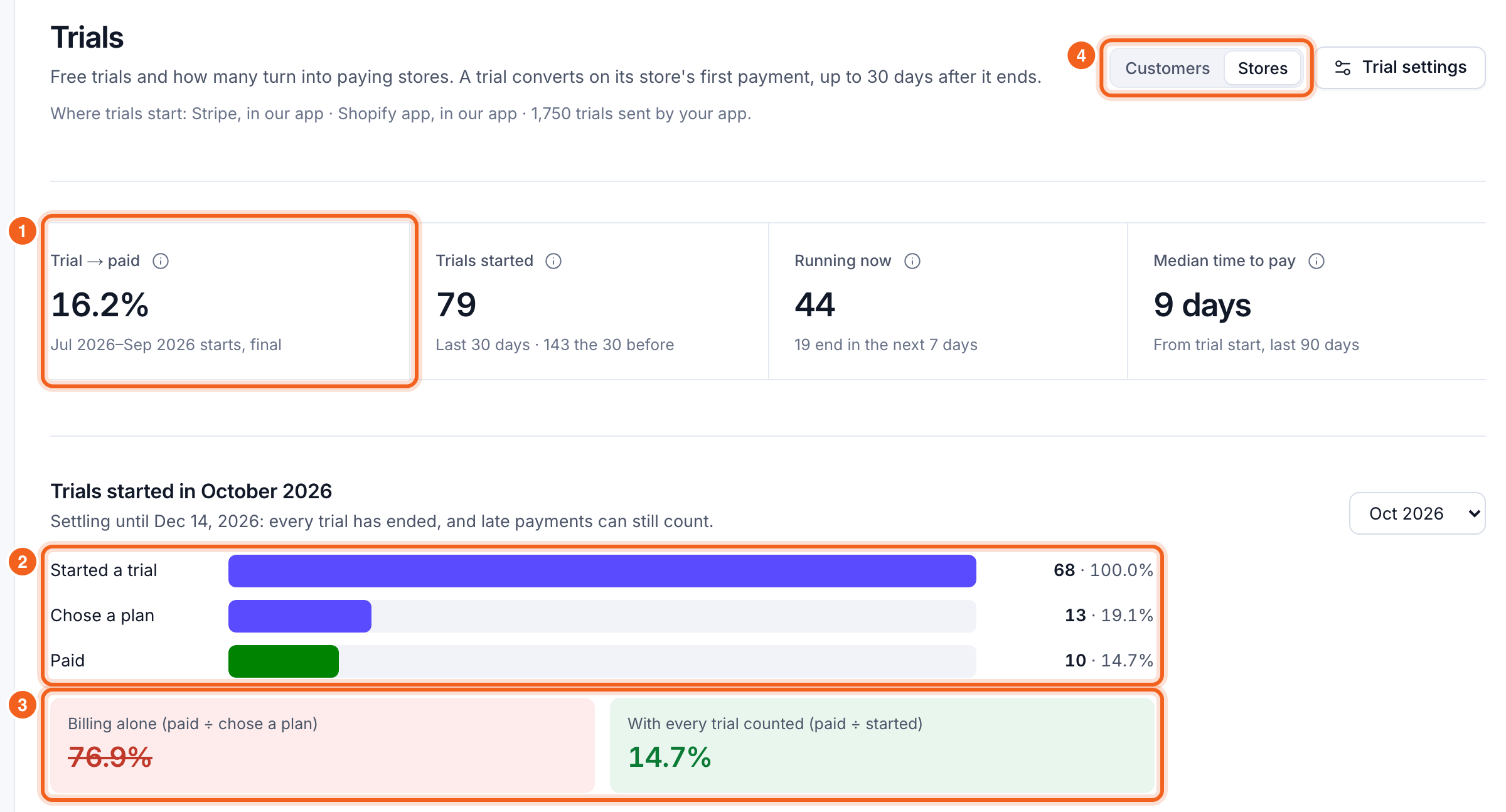
- Trial → paid: trials that converted ÷ trials started, over the latest months (up to three) whose trials are all past their conversion window. Beside it: trials started in the last 30 days, trials running now, and the median time from trial start to first payment.
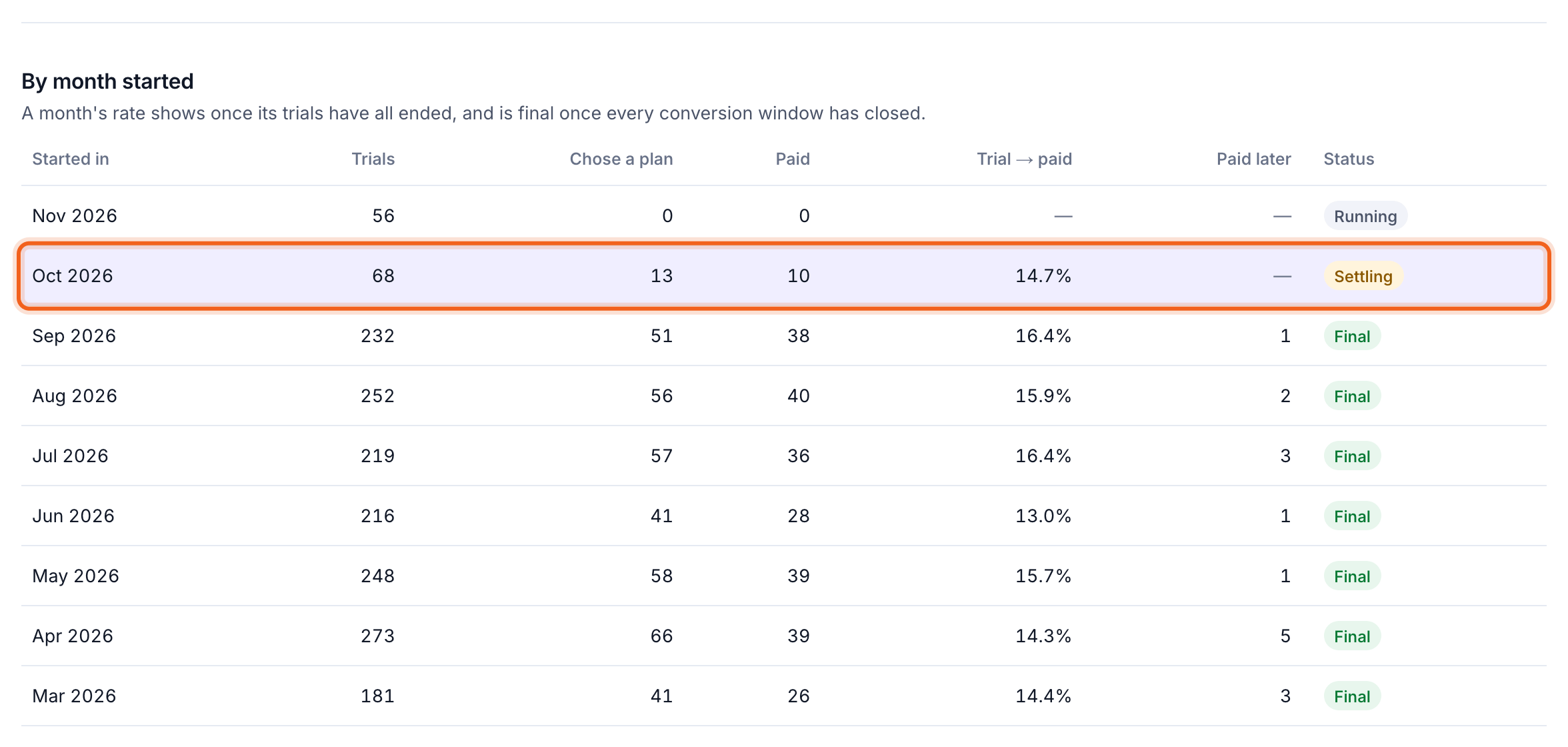
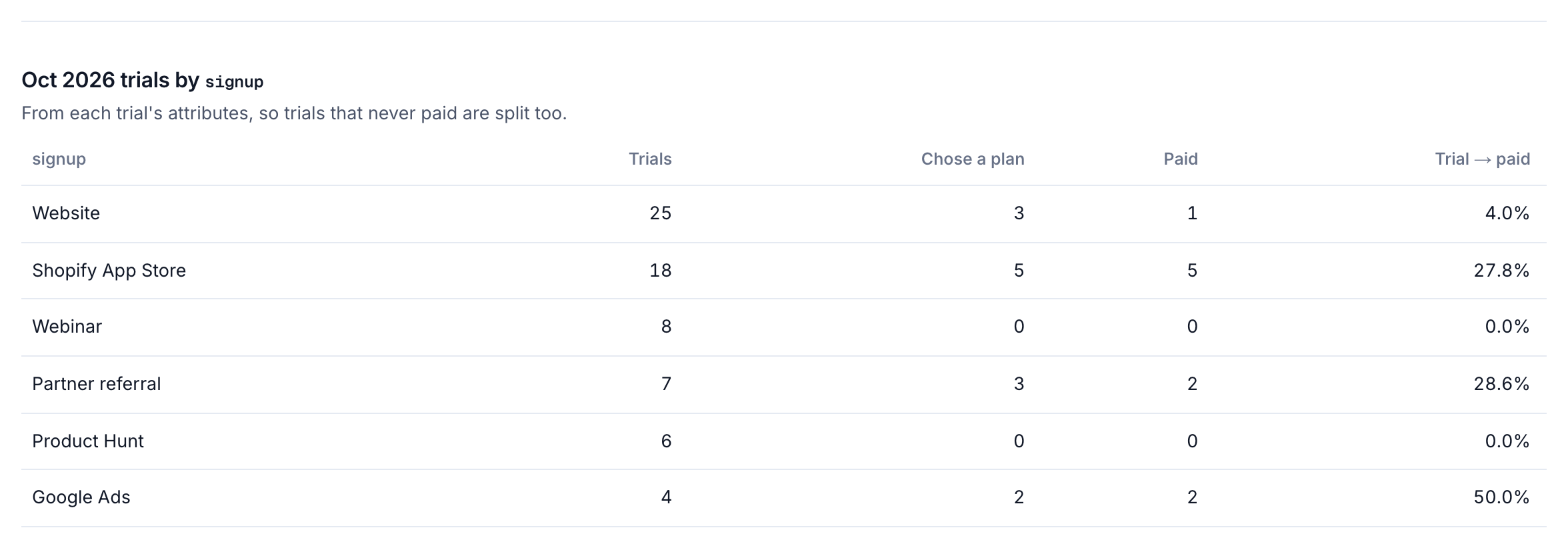
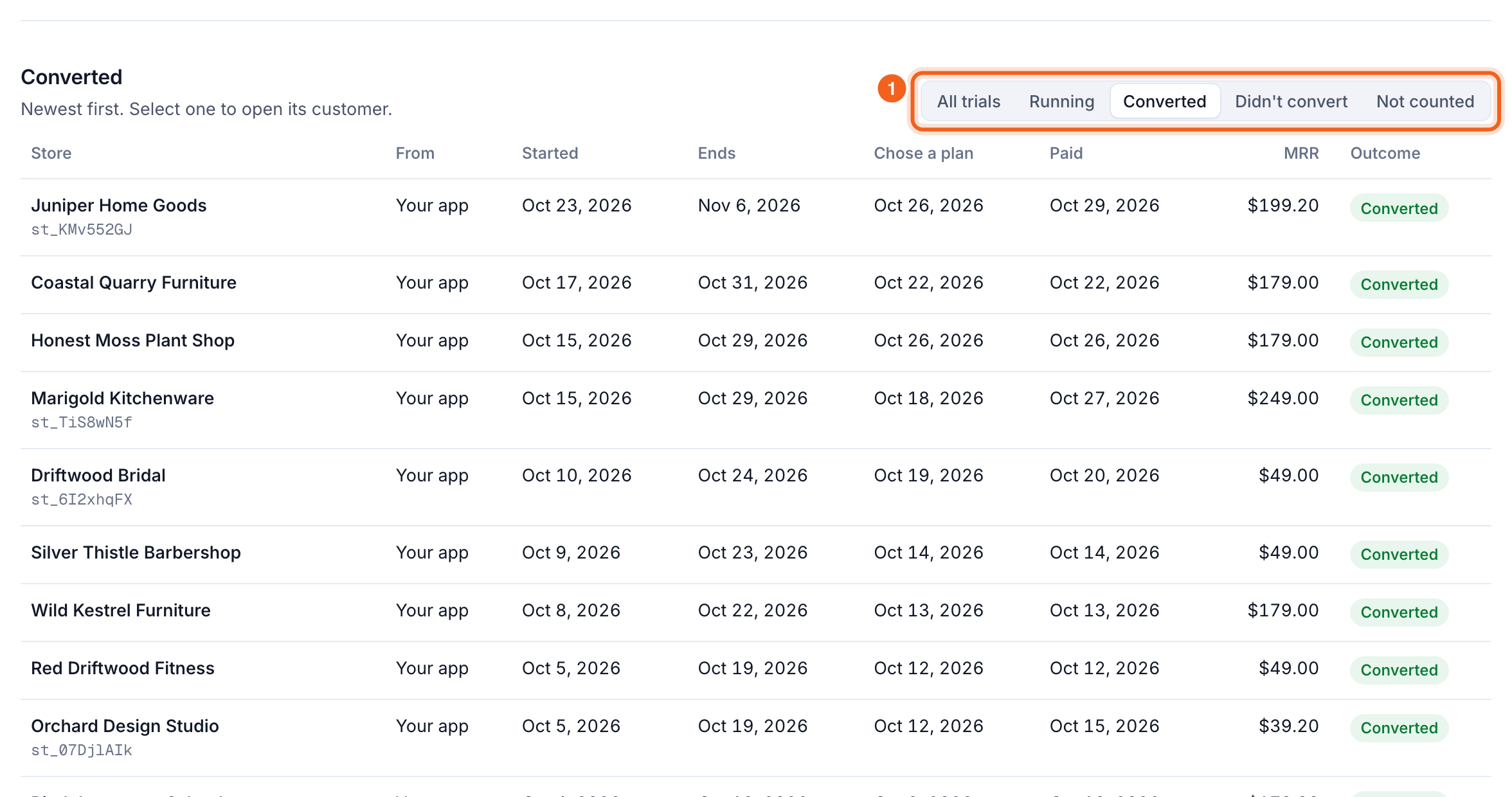
- The funnel for one month’s trials: started, chose a plan, paid. Pick the month in the menu, or select a row in the month table. It opens on the latest month whose trials have all ended.
- Billing alone against every trial counted. Paid ÷ chose a plan is what you’d get from your billing provider when your app runs the trial. Paid ÷ started is the real rate.
- What trials count by. If you count shops, stores or seats, trials count per shop by default: each shop is its own trial and converts on its own first payment, even when one billing customer pays for several. Switch to Customers to count per billing customer instead. A customer already paying for one shop then isn’t a new trial when they add the next. OneMRR remembers each person’s choice, as on every other page.
Months, splits and every trial
3. Send trials from your app
Skip this if your billing provider runs your trials. Otherwise send each trial to OneMRR when it starts. You need a full secret key from Settings → API (one limited to tracking can’t send trials); keep it on your server.
The response says whether OneMRR already knows the customer (
matched). A trial that never matches still counts, as one that didn’t convert. That’s how trials that never reach billing are counted.
From your code
In Node.js,@onemrr/node (0.2.0 or later) sends trials for you. Any other language can call the API as above.
trial() never throws, so a problem reaching OneMRR can’t stop a sign-up:
- Every path that starts a trial sends it: each place a customer can connect or sign up.
- A restarted trial (a win-back offer that resets the clock) is sent again with a new
externalId, built from the new start date. - An extended trial is sent again with the same
externalIdand the newendsAt. - Problems go to the client’s
onError(by default a console warning), andtrial()resolvesnull.
Backfill past trials
Send the trials you already have, so the Trials page has history from the start.trialMany() sends them 500 a request (/api/v1/trials/batch in the API). If you only stored when each trial ends, its start is the end minus your trial length.
externalId as your live code, so a trial sent by both counts once. Sending the backfill again is safe.
Check that every install arrives
For a Shopify app whose trials start In our app, the Trials page compares the last 30 days of installs with the trials your app sent. An install with no trial within 48 hours usually means a code path that doesn’t send it.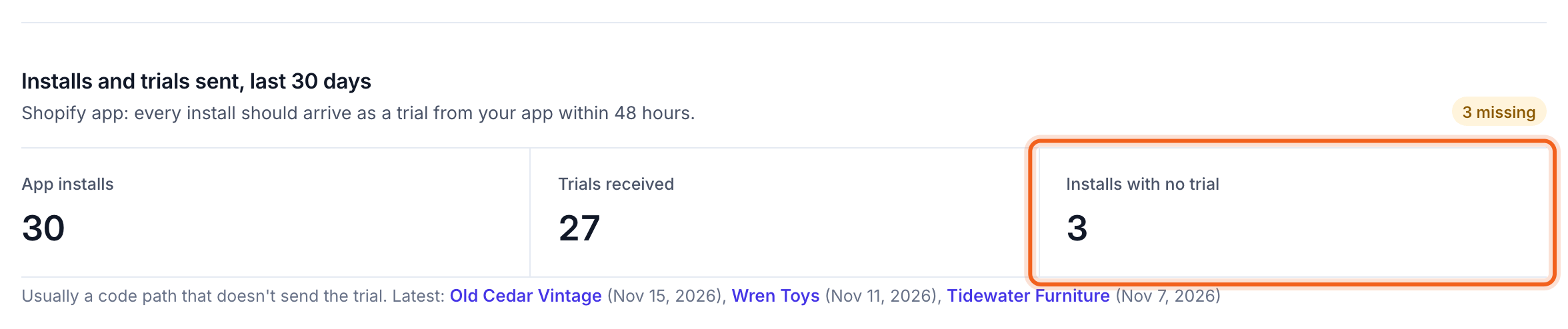
OneMRR reads installs from your Shopify app’s history at each sync. If you connected Shopify before trials were available, installs appear after the next full sync, which runs at least once a day.
How a trial is counted
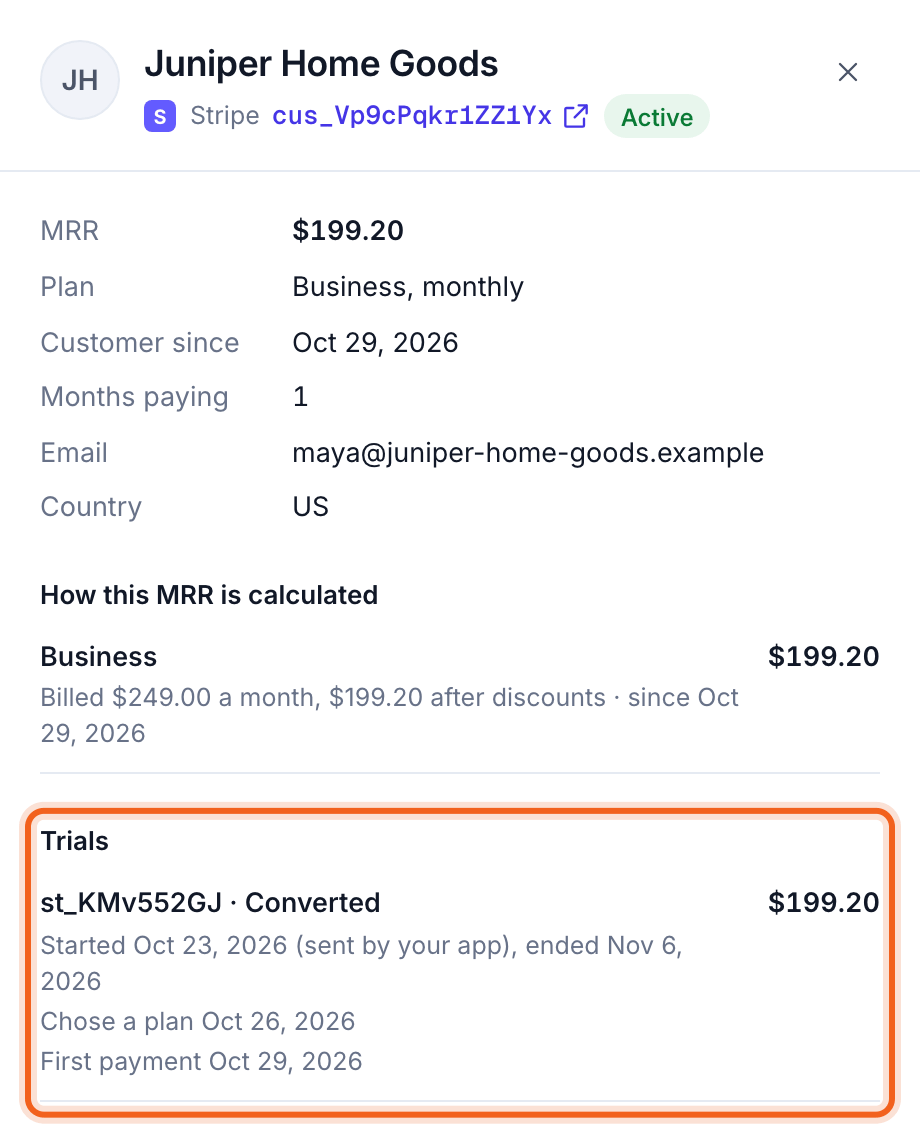
- Converted: the customer’s first payment arrives between the trial’s start and its end plus the conversion window. It’s the same moment OneMRR counts as New MRR, so the two always agree.
- Chose a plan: a billing trial or Shopify charge started during the trial, or the first payment itself.
- Already paying: a trial for a customer who is paying at the time isn’t counted. One who paid before and cancelled gets a win-back trial, which converts on their reactivation.
- The same trial from two places: reports of one customer’s trial within 48 hours of each other are one trial. A trial from your app wins over an install, and an install over a billing trial.
- No MRR: trials never add to MRR. A trial’s MRR in the list is what the customer paid once it converted.