1
Connect your billing platform
Sign up, then pick a platform on Get started and paste a read-only key. The first import starts right away.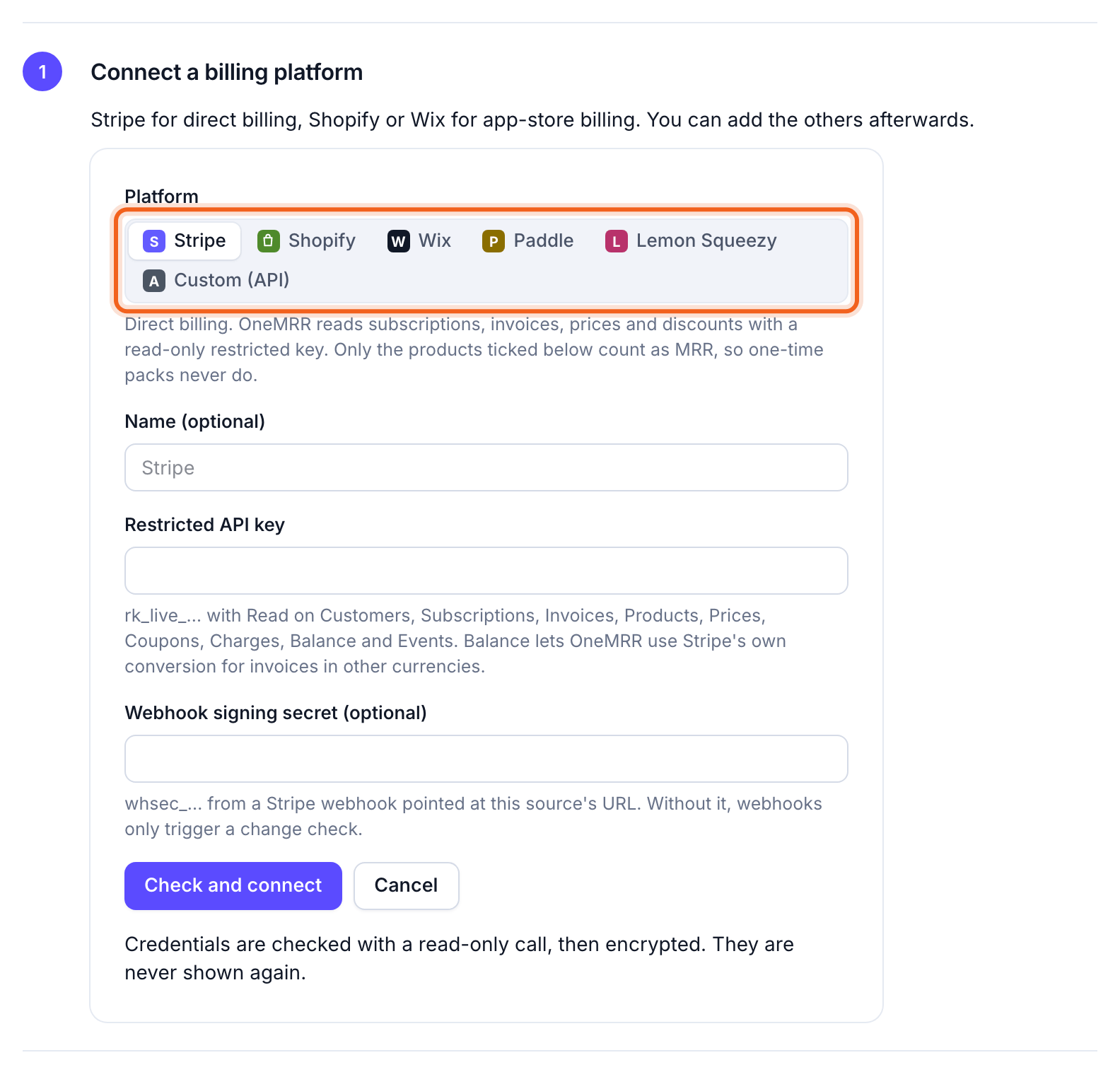
2
Set up a breakdown (if you need one)
Plan, Source, Billing interval and Country work with no setup. To split MRR another way, such as by sales channel or product line, open Settings → Breakdowns. OneMRR suggests breakdowns from your billing metadata.
3
Check your MRR
When the import finishes, Get started shows your MRR and how it compares with each platform’s billing. If it looks right, select This looks right. If not, select Something looks off for the usual causes.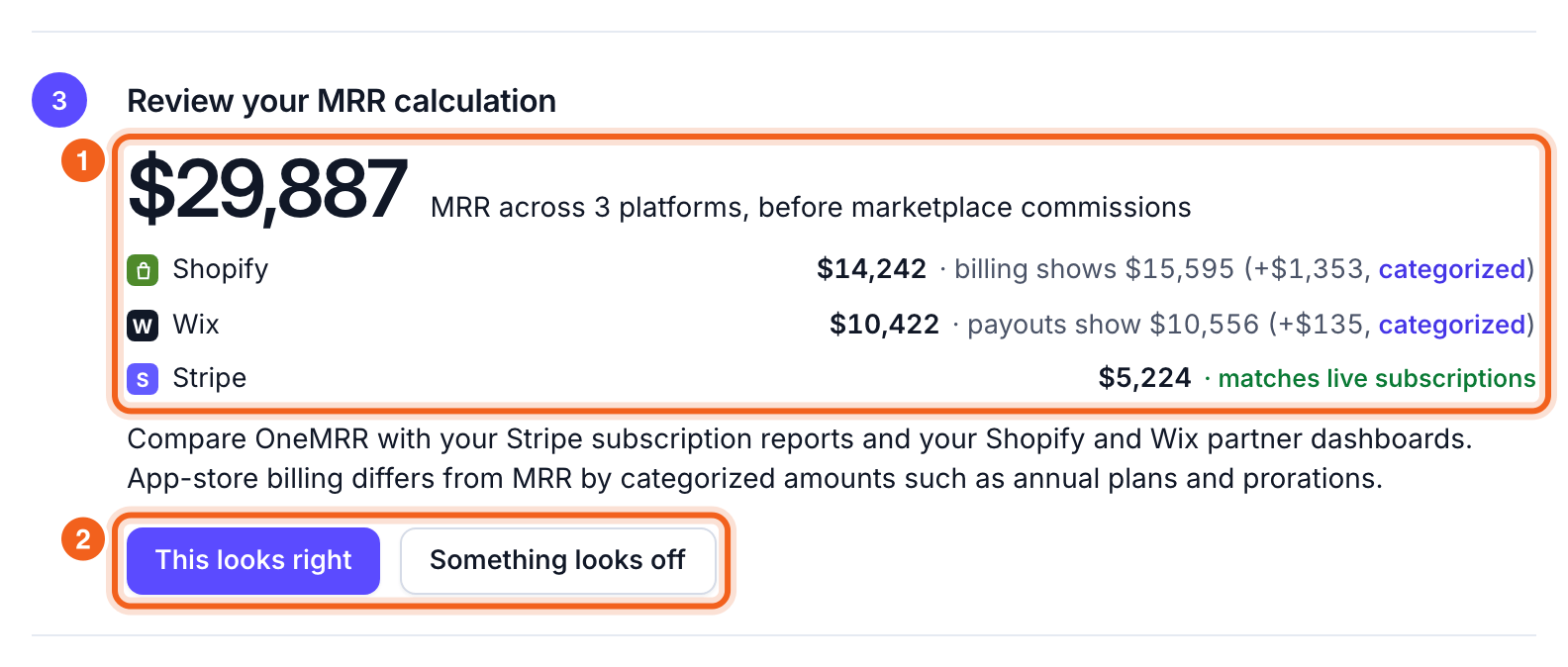
4
Drill into what moves your MRR
On the Overview, scroll to MRR by. Select a plan or product to drill in, then select an amount to see the customers behind it.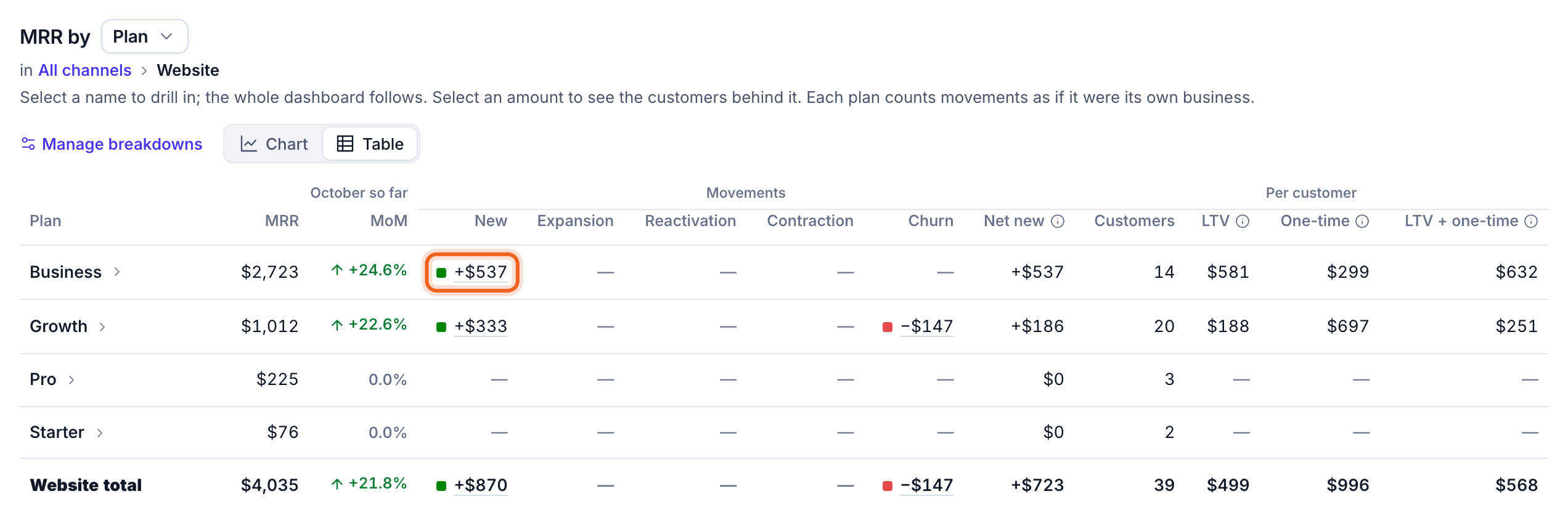
5
Set up Churn Signals
Send OneMRR a few events from your server: who each account is, and when they do something that matters. Churn Signals compares each customer with their own normal use.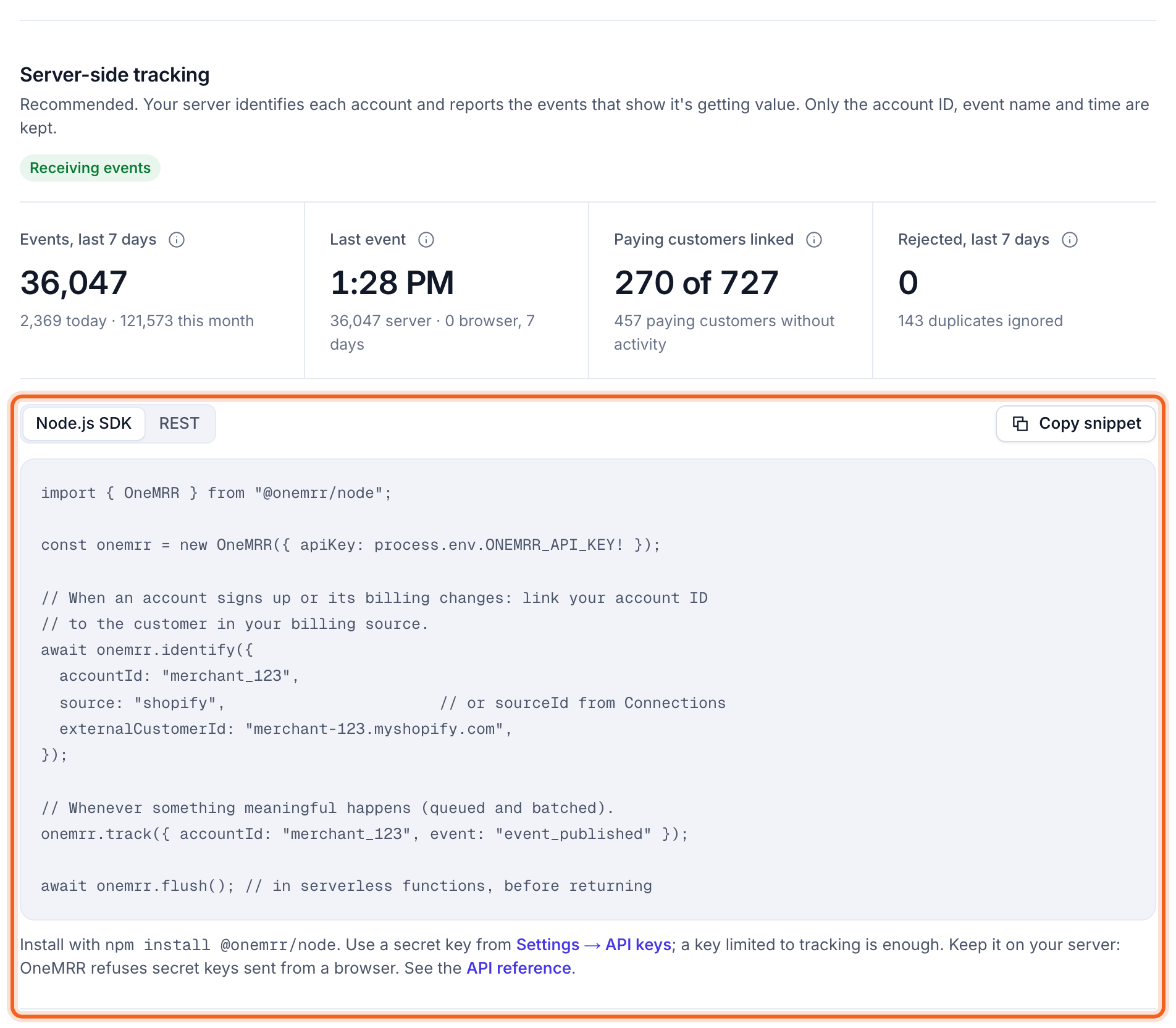
6
Turn on detection
Under Churn & retention → Settings → Detection, choose how often customers normally use your product, then select Turn on. OneMRR checks every customer once a day.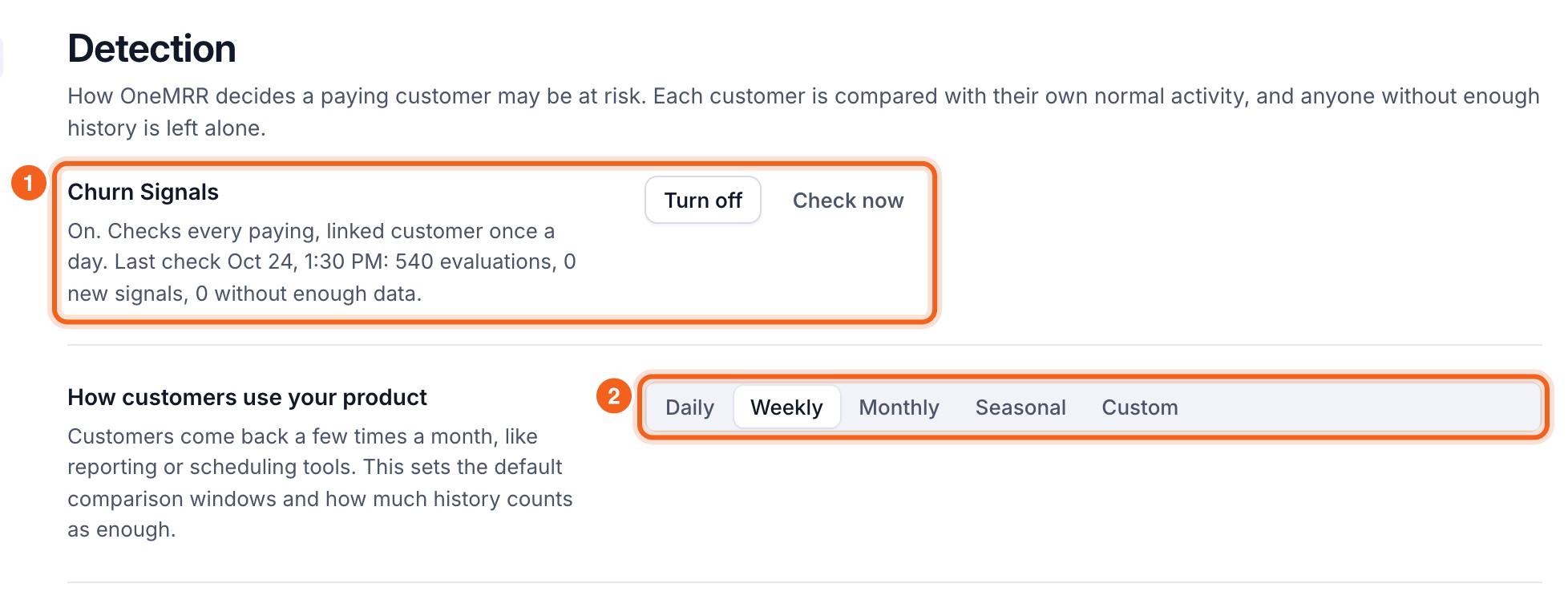
7
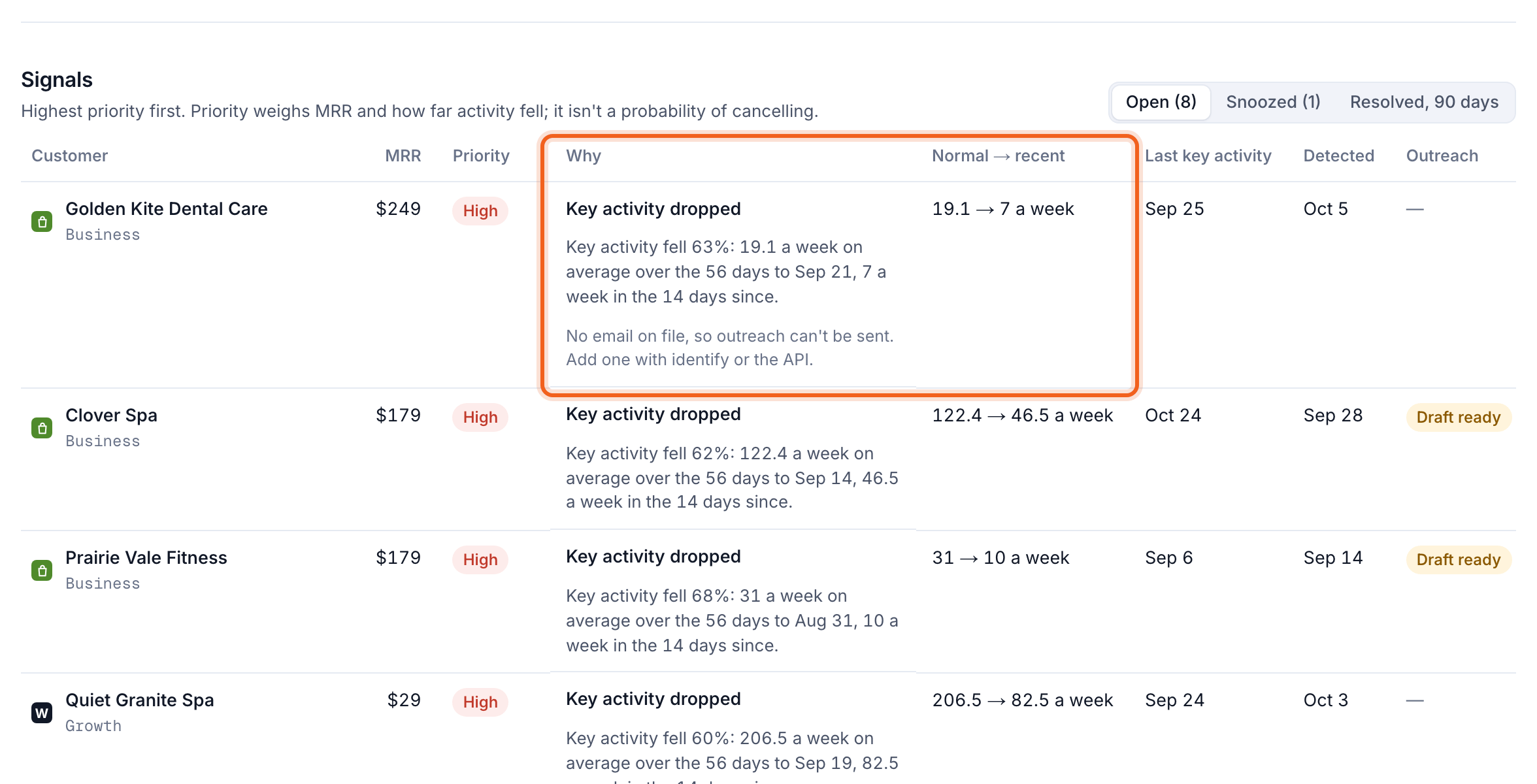
Act on at-risk customers
At risk lists customers whose activity dropped, highest priority first. Email them from there, or set up Automations to prepare or send a check-in email when someone is flagged.